Summary
- Skyvia – Makes MySQL reporting sustainable by moving data where analytics belong, before dashboards start fighting your application for oxygen.
- dbForge Studio for MySQL – Where developers go when they need to understand what MySQL is really doing, not just what a chart says it’s doing.
- Microsoft Power BI – A familiar reporting surface for leadership teams, especially when MySQL data has already been staged somewhere safer than production.
- Tableau – Chosen when exploration matters more than convenience, and the data is ready to be pushed, sliced, and questioned from every angle.
- Microsoft Excel – Still the fastest way to double-check numbers, prototype logic, and answer “is this even right?” before anything more permanent exists.
MySQL is phenomenal at being a data vault. Fast, dependable, never needs a pep talk to work hard. But request insights, and it becomes as helpful as asking a wall. Rows won’t volunteer anything.
The same avoidable catastrophe happens to many teams.
- Act One: You connect a reporting tool to production because it’s stupid easy and works great.
- Act Two: Questions get complicated, queries get fat, and suddenly the application feels like it’s running underwater.
- The curtain falls.
This article is your way to escape that educational opportunity. We’ll walk through how teams actually handle MySQL reporting without accidentally DoS-ing themselves. Then we’ll match each approach to tools that won’t ghost you when your cute little dataset becomes a screaming monster. Ready? Then, let’s go.
Table of Contents
- Critical Decision: Direct Connection vs. Data Warehousing
- The “Spreadsheet Warriors” (Excel & Google Sheets)
- Modern BI & Visualization Leaders
- Native & SQL-Centric Tools
- The New Wave & Enterprise
- Connectivity Innovation: OData
- Comparative Analysis for MySQL Reporting Tools
- Kickstarting MySQL Reporting
- Conclusion
Critical Decision: Direct Connection vs. Data Warehousing
At some point, every team reporting on MySQL runs into the same fork in the road. Do you just point your reporting tool at the database and hope for the best, or do you move the data to a safer place and report from there?
The choice will shape how reliable, scalable, and calm your reporting setup will be.
Direct Connection
A direct connection means your BI or reporting tool queries MySQL live. No copies, no pipelines, no delay. For small datasets or very tactical use cases, this can be perfectly fine.
As soon as dashboards multiply, queries get more complex, or someone forgets to add a LIMIT, reporting traffic starts competing with the application itself. Tables lock, pages slow down, and suddenly, analytics is affecting customers.
The Data Warehouse Approach
Serious BI setups almost always introduce a data warehouse. MySQL stays focused on transactions. Reporting happens elsewhere, on data copied into Snowflake or BigQuery.
Warehouses are built for heavy reads, joins, and long-running queries. You can slice years of data, blend data, and refresh dashboards all day without touching production.
There’s also a psychological shift. Reporting stops feeling “dangerous.” Analysts and managers can explore freely without worrying about slowing the app down. For growing teams, that separation alone is often worth the extra storage cost.
Where Skyvia Fits In
The warehouse approach only works if data moves reliably in the background. That is where tools like Skyvia Replication come in.
The safer pattern is to stop treating MySQL as a reporting engine at all. Skyvia quietly moves changes into Snowflake or BigQuery in the background, on your terms.
For teams that want reporting to scale without rewriting architecture every six months, that separation makes all the difference.
The “Spreadsheet Warriors” (Excel & Google Sheets)
Every MySQL reporting journey has a spreadsheet phase. No need to deny it. Even though, for many, it is a temporary solution, there are many cases when these tools can handle the task quite well. After all, Excel and Google Sheets are the fastest way to make MySQL data human – even if they sometimes outlive their original purpose.
1. Microsoft Excel
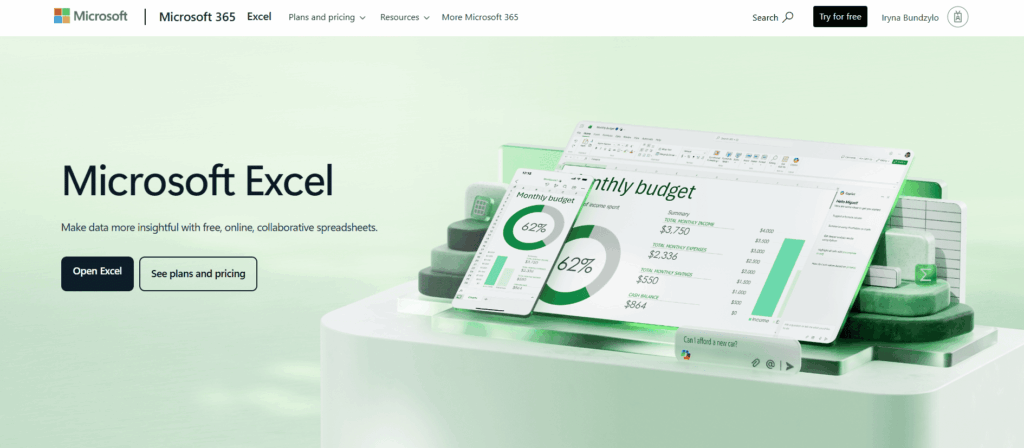
Microsoft Excel is often the starting point for MySQL reporting, useful for validating data, running quick analyses, and exploring results before reporting requirements outgrow spreadsheets and demand a dedicated BI layer.
Rating
- G2 – 4.7/5 with 3,038 reviews.
- Capterra – 4.8/5 with 19,333 reviews.
- TrustRadius – 8.9/10 with 1,800 reviews.
Best for
- Taking a quick look at MySQL data before anyone trusts it enough to put it in a report or dashboard.
- Excel is where many teams test their thinking before baking logic into pipelines or BI models.
- Teams that already live in spreadsheets and don’t want a new interface just to review figures they already expect to see in Excel.
- Lightweight reporting with minimal setup.
- Situations where flexibility matters more than scale.
Pricing
You can use Excel at no extra cost with standalone Office licenses. Scheduled refreshes and collaboration typically require Microsoft 365 Business Standard, at around $12.50 per user per month.
Pros
- Most teams are already living in Excel, so there’s no learning curve to slow things down when a report is suddenly needed.
- Power Query makes basic shaping and cleanup possible before data ever turns into a chart.
- Costs nothing for simple ODBC pulls, which makes it a natural first stop before committing to BI tools.
- Flexible formulas and pivots are hard to beat for exploratory analysis.
Cons
- Starts to creak once data grows large, or reports need to be shared widely.
- No real guardrails: it’s easy to overwrite formulas, lose context, or work from the wrong version.
- Refreshes are mostly manual.
- Not built for multi-user reporting, permissions, or audit trails.
2. Google Sheets
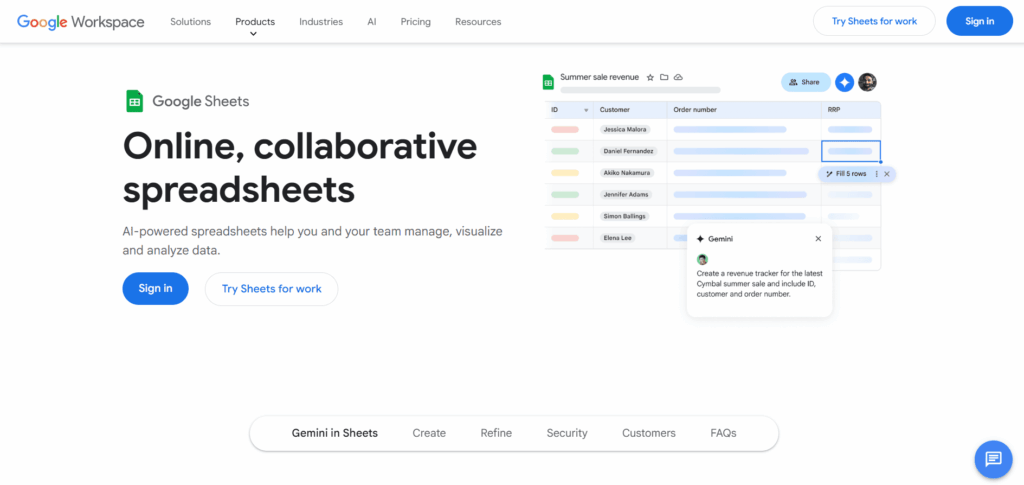
Google Sheets is a lightweight, cloud-native option for pulling MySQL data into shared spreadsheets, making it useful for teams that care more about collaboration and quick visibility than heavy reporting or scale.
Rating
- G2 – 4.6/5 with 47,396 reviews (this is the rating for Google Workspace in general).
- Capterra – 4.7/5 with 13,164 reviews.
- TrustRadius – 8.8/10 with 741 reviews.
Best for
- When you need shared understanding, not perfect reporting.
- When datasets are modest.
Pricing
Free tier handles solo work and basic sharing fine. If you want to tie your destiny with Google Sheets, Workspace plans start around $7/user/month when you’re ready for features beyond the basics.
Pros
- Goodbye to emailing spreadsheets back and forth while everyone silently panics about which version is current.
- Forms, Drive, and Charts link in, which makes quick reporting loops feel effortless.
- Browser-based access, automatic saves, and built-in backups remove a lot of the accidental risk Excel users are used to without their desire or consent.
Cons
- Getting data in isn’t native. There’s no direct ODBC (Open Database Connectivity), so you end up relying on scripts or third-party connectors.
- Large or frequently refreshed datasets can feel sluggish without caching or staging.
- Analytics depth is limited.
- Sharing is easy, but that also means sensitive MySQL data needs careful access control.
Modern BI & Visualization Leaders
Modern BI tools change the game. They take MySQL data, add context, color, and just enough polish to make patterns obvious without turning every dashboard into a science project. They’re built for sharing, slicing, and answering follow-up questions without rewriting SQL at midnight.
3. Microsoft Power BI
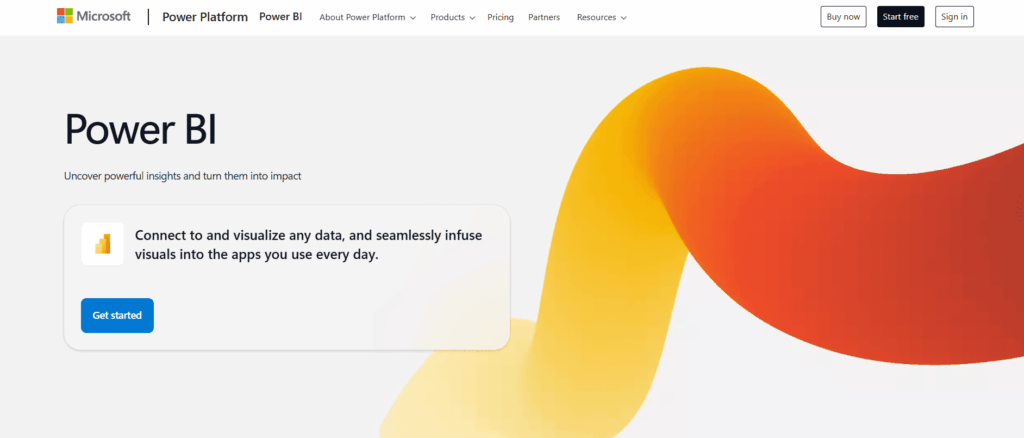
Microsoft Power BI is a low-cost reporting choice for teams already living in Office 365, but it’s happiest when MySQL data comes through a Gateway or is pre-staged in a warehouse first, often via tools like Skyvia, rather than being queried live.
Rating
- G2 – 4.5/5 with 1,532 reviews.
- Capterra – 4.6/5 with 1,861 reviews.
- TrustRadius – 8.5/10 with 2,101 reviews.
Best for
- Companies that want to transition from Excel.
- SMBs and startups that require reliable dashboards, but committing to enterprise BI pricing isn’t an option right now.
- Companies that are fine with staging MySQL data first (for example, via Skyvia) instead of pumping production with live queries.
Pricing
You can use the free version. The monthly cost of the Pro plan is $14 per user.
Pros
- Easy integration with other Microsoft products.
- Pricing is quite approachable for smaller teams, especially compared to heavier BI platforms.
- Power Query handles everyday data shaping without forcing you to conduct full ETL projects in Power BI.
- AI features help with quick insights when you don’t want to hand-write everything.
Cons
- Serious calculations quickly turn into a DAX learning exercise.
- Both the Free and Pro tiers have ceilings.
- Works best when data is pre-staged, not when hitting production systems live.
- Scaling usually means stepping into Fabric or Premium, which changes the cost story.
4. Tableau

Tableau is known for best-in-class visuals and polished dashboards, but that power comes at a cost – it’s resource-heavy and works best when data is already prepared, and the environment can handle frequent, intensive queries.
Rating
- G2 – 4.4/5 with 3,498 reviews.
- Capterra – 4.6/5 with 2,345 reviews.
- TrustRadius – 8.4/10 with 2,316 reviews.
Best for
- Teams that need their dashboards to tell a story, not just show totals and percentages.
- Analysts who like to explore data freely.
- Organizations working outside the Microsoft stack and needing broad, native connectivity.
- Use cases where visual nuance matters – funnels, flows, geospatial views, complex comparisons.
- Large datasets that benefit from extracts and fast rendering, even when queries get heavy.
Pricing
The pricing starts at $75/user/month for a viewer plan. The free trial is available.
Pros
- Rich visualization options with drag-and-drop features.
- Excellent support and active community resources.
- Handles large datasets and complex queries effectively.
Cons
- Relatively higher cost per user.
- Limited data manipulation capabilities outside visualizations.
5. Looker Studio (formerly Data Studio)
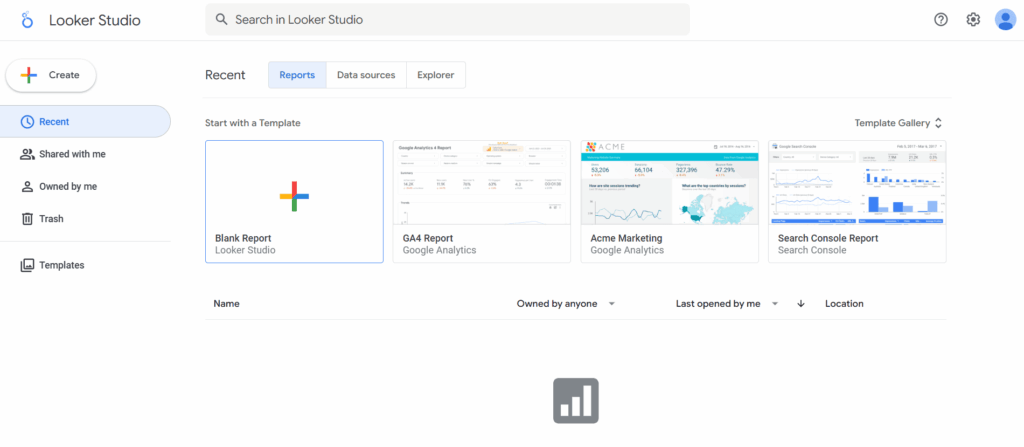
Looker Studio is a free, web-based way to turn MySQL data into simple, shareable dashboards, especially for teams already working inside the Google ecosystem.
Rating
- G2 – 4.4/5 with 450 reviews.
- Capterra – 4.5/5 with 281 reviews.
- TrustRadius – 8.3/10 with 323 reviews.
Best for
- You just need a clean dashboard on a URL. Open it in a browser, share the link, done.
- Marketing or ops teams want to work with charts themselves.
- Reports are something people glance at during the day, not something they download and dissect for hours.
Pricing
Looker Studio is free for core dashboarding, which covers most small teams building web-based reports from MySQL and Google data. The Pro plan adds team controls and support at $9 per user per month.
Pros
- Reporting will seem like an extension of what you’re already engaged in if your data normally goes through Sheets, BigQuery, or Analytics.
- Effortless sharing.
Cons
- If your MySQL data needs joins, cleanup, or logic, you’ll feel the lack of a real modeling layer pretty quickly.
- Native options are limited, and paid connectors can get slow or expensive once queries become complex.
- It’s fine for monitoring and explaining what happened, but forecasting, advanced calculations, or heavy logic belong in a stronger BI stack.
6. Zoho Analytics
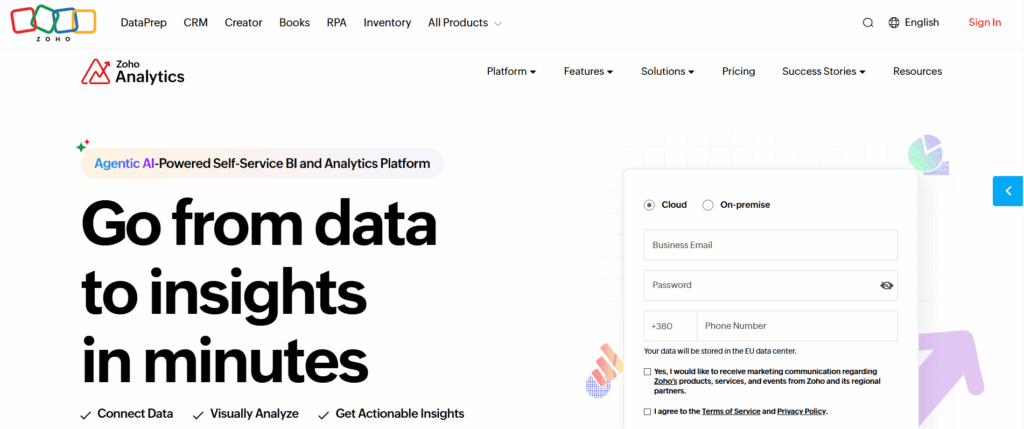
Zoho Analytics is a solid all-in-one reporting tool for SMBs that want MySQL dashboards without overthinking BI – easy to start and flexible enough to grow.
Rating
- G2 – 4.2/5 with 279 reviews.
- Capterra – 4.4/5 with 360 reviews.
- TrustRadius – 8.4/10 with 354 reviews.
Best for
- Teams already deep in Zoho who want their CRM, finance, and support numbers to finally agree with each other.
- Non-technical teams that prefer clicking, filtering, and asking questions over learning SQL or DAX.
- Startups that need reporting to work out of the box, without a rollout project or a BI specialist on day one.
Pricing
Paid plans start at $24/month. The free version is also available.
Pros
- Allows non-technical teams build real reports on their own.
- The tedious tasks, such as identifying patterns and revealing anomalies, are made easier by Zia’s AI.
- Pricing stays friendly for small teams.
- Good collaboration basics: shared dashboards, scheduled reports, and exports people can use and benefit from.
Cons
- As reports grow heavier and refreshes stack up, you will need to wait a little longer than you’d like.
- The interface might feel more functional than modern, especially compared to newer BI tools.
- Even when data stays the same, adding more viewers slowly pushes the bill upward.
- For teams that eventually move toward warehouses or heavier analytics, Zoho often becomes a stepping stone rather than a long-term home.
Native & SQL-Centric Tools
These tools live close to MySQL, speak its language fluently, and don’t pretend they’re here to impress a boardroom. They’re for people who care less about pretty charts and more about knowing exactly what the database is doing right now and why.
7. MySQL Workbench
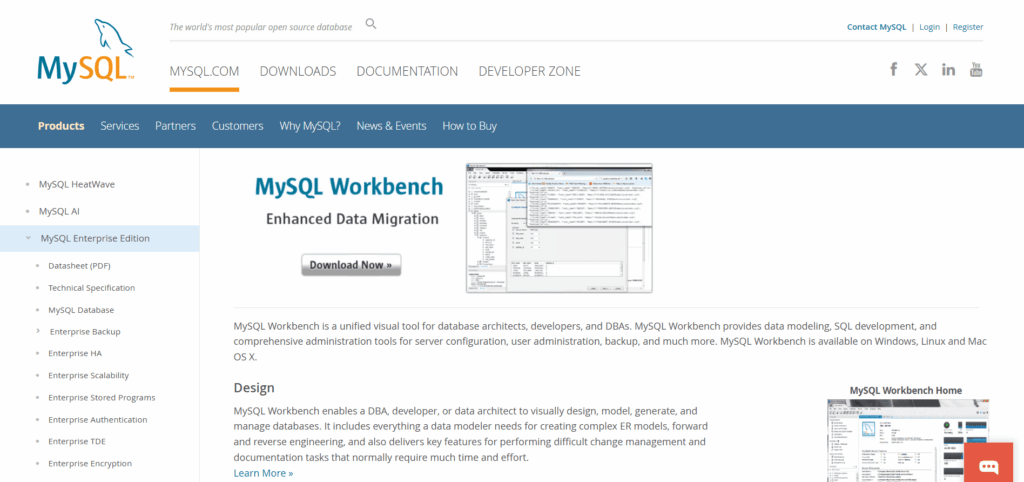
MySQL Workbench is the built-in, free option most teams start with for MySQL reporting, great for developers who want to inspect schemas and query performance directly, but far too technical and awkward for anyone trying to read business metrics.
Rating
- G2 – 4.5/5 with 43 reviews.
- Capterra – 4.6/5 with 2,092 reviews.
- TrustRadius – 6.9/10 with 13 reviews.
Best for
- Situations where you’re chasing a bad query, a missing index, or a sudden spike in load and need answers straight from the server.
- On-prem or hybrid setups where someone needs a clear picture of server health before reports ever reach BI tools.
- Technical workflows like validating schema changes or investigating why a query suddenly got expensive.
Pricing
MySQL Workbench is completely free to use under the GPL license on Windows, macOS, and Linux, with no usage limits or feature tiers. The only cost appears if you opt into Oracle’s MySQL Enterprise Support, which is a separate, optional subscription for production-critical environments.
Pros
- When a query drags or a server spikes, Workbench shows exactly where time is being burned.
- In the same location where you run and modify SQL, you can examine execution plans, indexes, and schemas.
- Costs nothing and stays out of the way.
Cons
- The output is raw and utilitarian, so sharing usually means screenshots or exporting to another tool.
- Assumes you already speak MySQL fluently; a little accent is allowed.
- Strictly a single-database, single-user experience.
8. dbForge Studio for MySQL
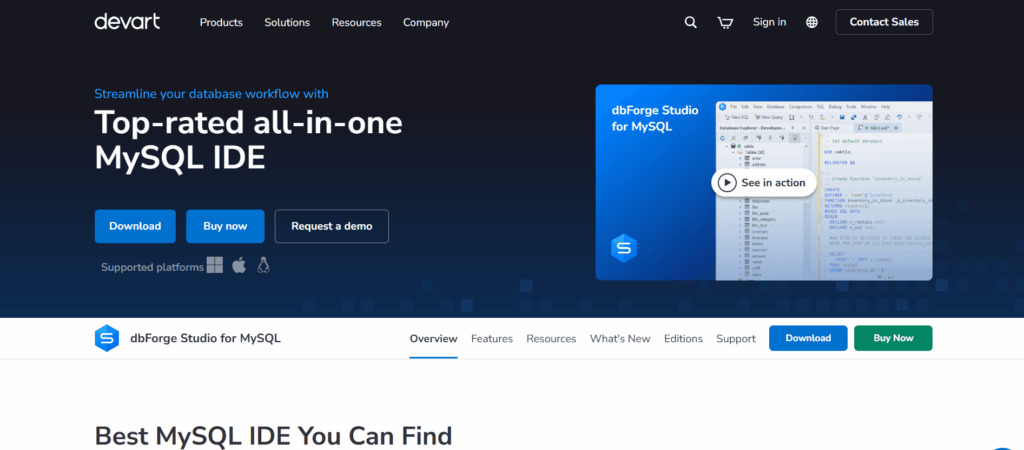
dbForge Studio for MySQL is a full-featured MySQL IDE with a built-in report designer perfect for developers and DBAs who need deeper control over schemas, queries, and data analysis than MySQL Workbench provides, especially when preparing data and logic before handing it off to BI or ETL tools.
Rating
- G2 – 4.7/5 with 100 reviews.
- Capterra – 4.7/5 with 37 reviews.
- TrustRadius – 8/10 with 52 reviews.
Best for
- Developers who spend all of their time in MySQL are looking for quicker ways to create, test, and compare queries without utilizing different tools for each task.
- Teams that need clear visibility into schema changes, with visual diff and sync workflows.
- Analysts or DBAs who still rely on classic reports.
Pricing
dbForge Studio for MySQL uses a license model. One-time perpetual licenses start at $359.95, while annual subscriptions start at $119.95. Schema sync, reporting, and automation features are added in higher tiers; teams and enterprise deployments can receive discounts.
Pros
- Makes complex MySQL queries less painful – visual joins, profiling, and master-detail views help you see what’s going on.
- Saves time on changes you’d otherwise dread – schema syncs, refactoring, and data generation cover the kinds of database chores.
- Useful when data has to leave MySQL in a presentable form (clean PDFs, HTML pages, or Excel files) without rebuilding the same logic somewhere else.
- If you already rely on scripts or scheduled jobs, it can plug into those effortlessly.
Cons
- Once you need comparisons, syncing, or serious reporting, a license becomes unavoidable.
- Clearly built with developers in mind.
- For occasional checks or simple reporting, it can feel like bringing a full IDE to answer a small question.
9. Skyvia Query (Visual SQL Builder)
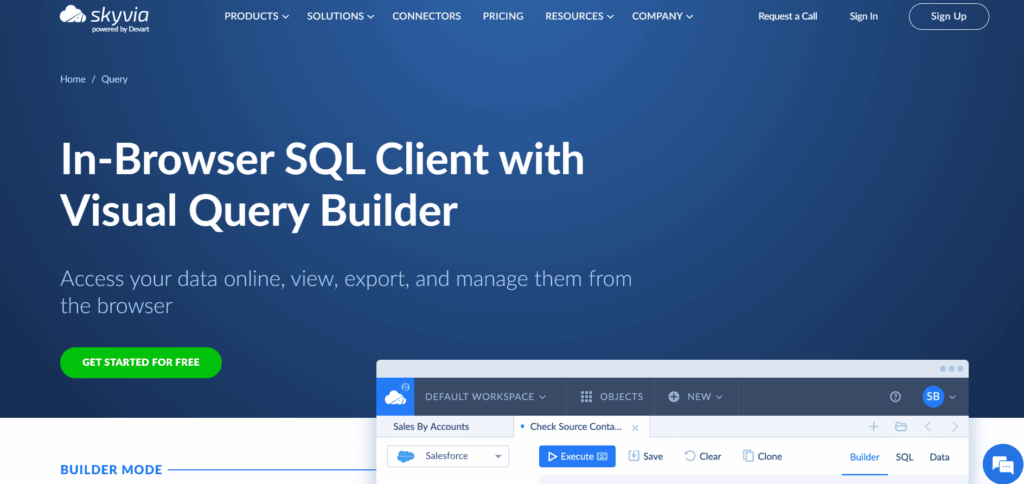
Skyvia Query’s Visual SQL Builder lets you pull meaningful answers from data by assembling joins and filters visually in the browser, making complex queries accessible without writing SQL while still producing results you can trust and reuse.
Rating
- G2 – 4.8/5 with 291 reviews.
- Capterra – 4.8/5 with 109 reviews.
- TrustRadius – 10/10 with 28 reviews.
Best for
- Teams that just want answers from data without turning every question into a mini engineering project.
- Quick investigations where writing and debugging SQL would take longer than the insight is worth.
- Startups that live across MySQL, Salesforce, HubSpot, and other systems and need one place to poke around before exporting data to BI.
- People who prefer starting visually, but like knowing they can still peek under the hood and adjust the SQL if needed.
Pricing
Skyvia offers a free plan with 5 queries a day. If you need more, you can switch to a Standard plan, where queries are unlimited, and it will cost you $15/month.
Pros
- Makes it possible to answer real questions without first “becoming the SQL person.”
- You see how tables relate before you run anything, instead of fixing broken queries after the fact.
- Being browser-based makes it easy to jump in from anywhere, with direct access to MySQL and other systems already connected in Skyvia.
- Exports are straightforward and practical.
- An extensive library of connectors to link data across your ecosystem, no matter how broad it is.
Cons
- Free tier is restrictive (5 queries/day).
- No native dashboards. You will have to export to Looker or other data visualization tools.

The New Wave & Enterprise
This category is for you if “roughly right” isn’t acceptable anymore. These tools cost more, demand more, but in return, they act like responsible adults when the data and the stakes get serious.
10. Metabase
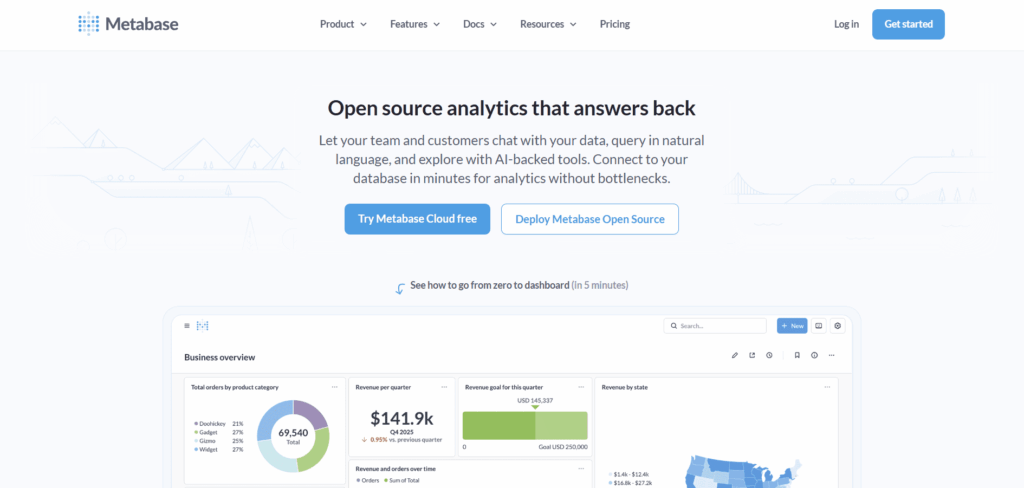
Metabase is an open-source BI tool that lets teams explore MySQL data and build dashboards quickly, with a friendly question builder that works well for non-technical users and a free self-hosted option that fits early-stage setups before paid BI becomes necessary.
Rating
- G2 – 4.4/5 with 140 reviews.
- Capterra – 4.5/5 with 61 reviews.
- TrustRadius – 8.3/10 with 64 reviews.
Best for
- When reporting is necessary for the team, not just as a polished artifact for leadership decks.
- Asking questions without building pipelines first.
- When hosting your own tools still feels normal, and paying per seat for dashboards feels premature.
Pricing
You can run it entirely for free by self-hosting the open-source version, with no limits on queries or dashboards. Paid plans start at $100 per month plus a $6 per-user fee for a fully managed cloud setup. At the same time, Pro and Enterprise tiers add governance, embedding, and compliance features once reporting becomes part of how the business operates.
Pros
- The open-source edition covers most internal reporting needs.
- Business users can explore data on their own. Simple questions, filters, and alerts work without SQL, while technical users can drop into SQL when they want more control.
- A quick Docker setup, native MySQL support, and a large library of community examples make it feel approachable fast.
- If reports need to live inside an internal tool or product, Metabase doesn’t fight you on that.
Cons
- Large datasets need tuning, caching, or a paid plan to stay responsive.
- Visualization options are practical, not expressive.
- The free tier assumes you’re comfortable running infrastructure yourself, and governance controls are fairly basic until you upgrade.
11. Domo
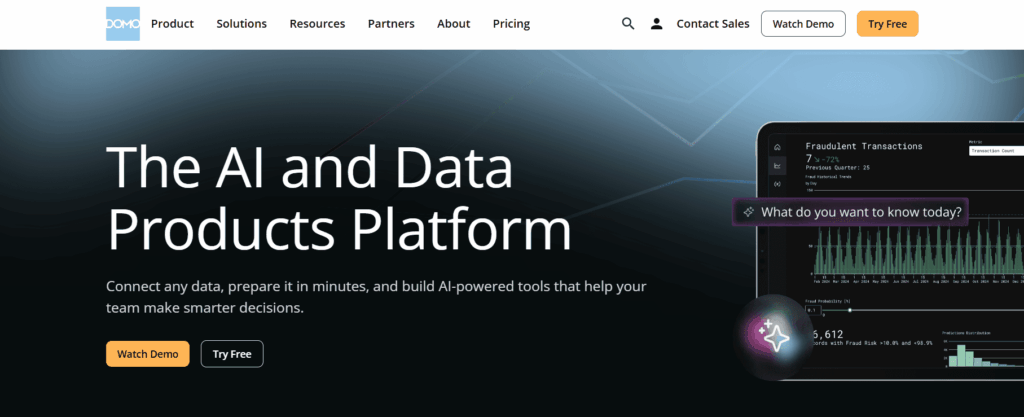
Domo is a cloud-native BI platform built for teams that want fast, real-time dashboards across MySQL and dozens of other sources, with enterprise-grade scale and mobile access, but without managing their own infrastructure.
Rating
- G2 – 4.3/5 with 980 reviews.
- Capterra – 4.3/5 with 329 reviews.
- TrustRadius – 8.4/10 with 251 reviews.
Best for
- Especially strong for executive-level dashboards, though the pricing usually reflects that audience.
- Organizations where data lives everywhere, and you want to stitch it together.
- Teams that need dashboards to travel well, especially on mobile, because decisions aren’t always made at desks.
Pricing
Custom pricing based on features and users. The free trial is available.
Pros
- When leadership wants one place to look, Domo delivers. It’s built for “open the dashboard, get the answer” moments.
- If metrics are scattered across too many systems to keep straight, Domo is good at pulling them into one narrative.
- Domo will nudge you when something drifts, spikes, or stalls.
Cons
- It’s clearly designed for companies that already expect BI to be a serious line item.
- You don’t just “pick it up” beyond the basics.
- Analysts coming from other tools often miss the freedom to shape things exactly their way.
- Support quality depends heavily on your contract tier.
12. Sisense
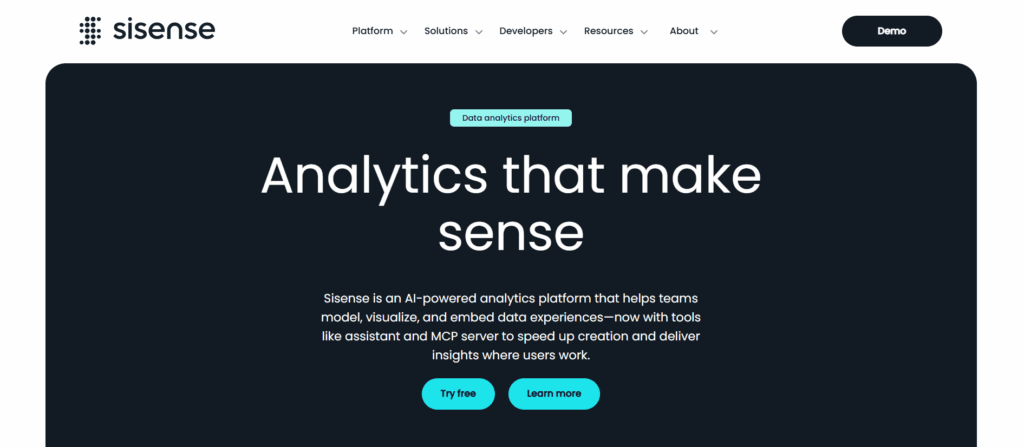
Sisense is best known for letting teams weave MySQL-powered dashboards straight into their own products, so analytics live inside the app users already work in, not in a separate BI tab – powerful, but very much built for teams comfortable with a more hands-on setup.
Rating
- G2 – 4.2/5 with 1,039 reviews.
- Capterra – 4.5/5 with 378 reviews.
- TrustRadius – 7.6/10 with 131 reviews.
Best for
- SaaS teams that want analytics to live inside their product, not in a separate BI tab that users forget exists.
- Products where dashboards are part of the experience, shown to customers, partners, or internal users under your own branding.
- Companies that need something that stays responsive even when many users open the same dashboard at once.
Pricing
The pricing is custom and based on features and user numbers, with a free trial. The 7-day free trial is available.
Pros
- Users don’t feel like they’re “opening reports” – they just see data where it belongs.
- Dashboards keep working even when customers, tenants, or datasets multiply faster than expected.
Cons
- The first setup phase demands focus and patience.
- If analytics aren’t core to the product, the investment feels heavier than it should.
- Models need care, rebuilds happen, and when they fail, it’s rarely obvious why.
- It’s built for products, not spontaneous analyst curiosity.
13. SAP BusinessObjects
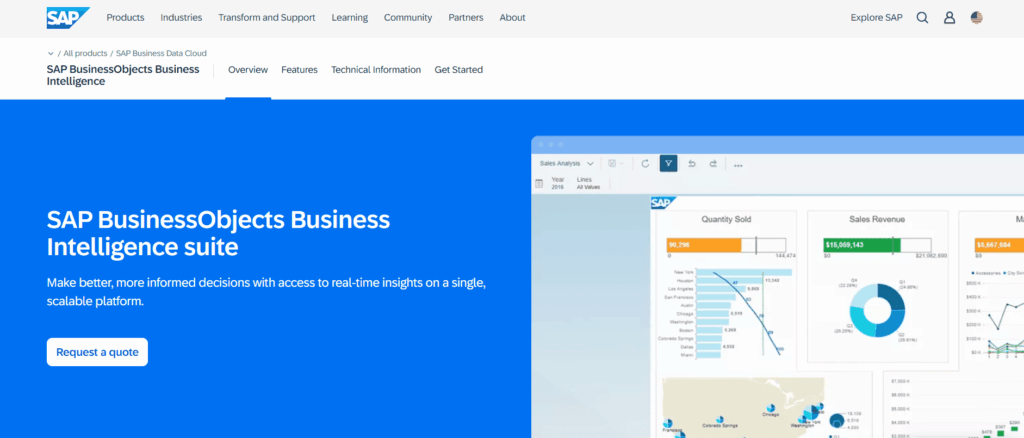
SAP BusinessObjects is a heavyweight BI platform built for legacy enterprise environments, offering deeply controlled reporting and governance on top of MySQL and other databases, but best suited to organizations that already live in SAP-style workflows rather than fast-moving analytics teams.
Rating
- G2 – 3.8/5 with 254 reviews.
- Capterra – 4.3/5 with 244 reviews.
- TrustRadius – 7/10 with 853 reviews.
Best for
- Enterprises that already run on SAP and are happy with it.
- When reports have weight and hierarchies are complex.
- Companies that still rely on structured, scheduled reporting.
Pricing
Custom pricing for enterprise clients, so you will need to talk to the SAP sales team before reporting anything.
Pros
- It does formal reporting extremely well.
- Handles complexity without shortcuts.
- Once a reporting model is set, teams can rely on it for years without constantly reworking definitions.
Cons
- The interface shows its age, and new users often need guidance just to understand where things live.
- Getting value takes time and specialists. Setup, modeling, and ongoing care usually sit with IT or dedicated BI teams, not business users.
- Adjusting models or expanding use cases often means more planning than teams expect.
- If people want to ask quick questions or build dashboards on the fly, this will feel heavy very quickly.
Connectivity Innovation: OData
But wait for a minute. Why can’t this tool just see our MySQL data?
In most cases, it actually can – just not in the way you expect. Here’s how it may be possible.
Concept
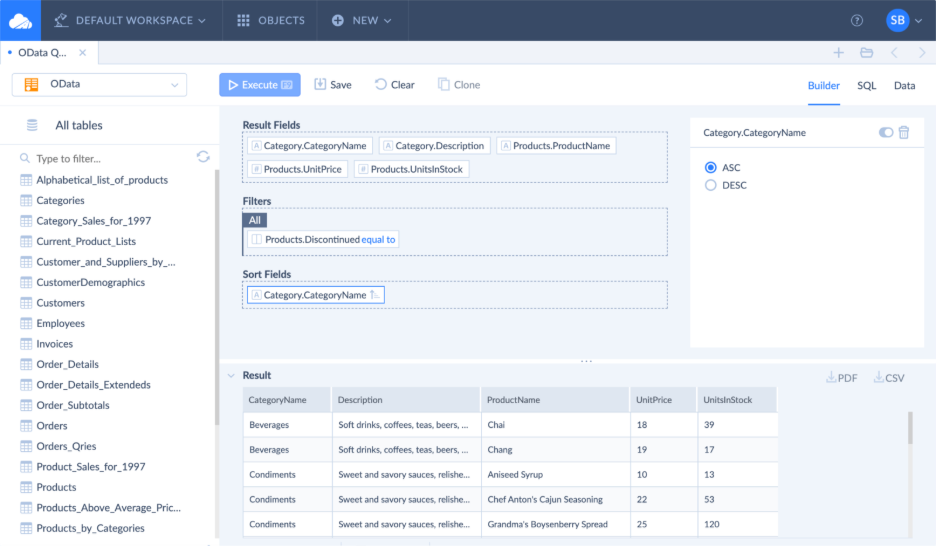
Many reporting tools, CRMs, and internal platforms don’t speak MySQL directly. They’re built to consume data over HTTP APIs, not database drivers. Opening database ports or shipping JDBC credentials around is intentionally discouraged, especially in cloud and SaaS environments.
That is where OData fits in. It is a household name for exposing data over REST. Instead of connecting to MySQL as a database, tools query it as a service. Tables and views become endpoints. Filters, joins, and projections are expressed as URL parameters. No drivers, no direct database access.
In the context of MySQL reporting, OData sits neatly between direct database connections and full data replication. It allows live, queryable access to MySQL data using a format many tools already support, including platforms that would never allow a native MySQL connection in the first place.
Solution
Skyvia Connect avoids that entire detour. Instead of bending each tool to talk MySQL, it exposes your MySQL data as an OData service – something many platforms already know how to consume.
You don’t replicate data, write glue code, or deploy middleware. You choose which tables or views are visible, define who can access them, and get a secure endpoint. In Salesforce, that endpoint can be linked up as an external data source. Once this happens, MySQL records start to act as they have always been native objects in reports and dashboards.
Benefit
The best part about OData is that your database stays closed, credentials stay private, and nothing runs directly against port 3306. Queries go through a managed API layer with permissions, logging, and throttling built in.
Just as important, OData is a standard, not a hack, so it works across tools without special cases. For teams that need live access to MySQL data inside systems that were never designed for it, this approach removes a whole class of workarounds.
Comparative Analysis for MySQL Reporting Tools
The table below provides a comprehensive view of each platform’s ideal users, required expertise, and MySQL connection approaches to help identify the best fit based on organizational requirements for MySQL reporting and security standards.
| Tool | Best For | Skill Level | Conection Method |
|---|---|---|---|
| Skyvia Query (Visual SQL Builder) | No-code querying across MySQL and cloud apps | Beginner–Intermediate | Cloud (direct) |
| Microsoft Excel | Ad-hoc analysis, finance checks, quick pivots | Beginner | Desktop (direct) |
| Google Sheets | Collaborative, lightweight team reporting | Beginner | Cloud (indirect) |
| Power BI | SMB dashboards in Microsoft ecosystems | Intermediate | Desktop + Cloud (direct) |
| Tableau | Advanced visual analytics on large datasets | Intermediate–Advanced | Desktop + Cloud (direct) |
| Looker Studio | Simple, web-based dashboards and sharing | Beginner | Cloud (direct) |
| Metabase | Internal BI for technical teams | Intermediate | Cloud / Self-hosted (direct) |
| MySQL Workbench | Database diagnostics and performance analysis | Advanced | Desktop (direct) |
| dbForge Studio for MySQL | Deep MySQL reporting and admin workflows | Advanced | Desktop (direct) |
| Zoho Analytics | All-in-one BI for Zoho-centric SMBs | Beginner–Intermediate | Cloud (direct) |
| Domo | Executive dashboards at enterprise scale | Advanced | Cloud (direct) |
| Sisense | Embedded analytics inside SaaS products | Advanced | Cloud (direct) |
| SAP BusinessObjects | Regulated, SAP-centric enterprise reporting | Advanced | Desktop + Server (direct) |
Kickstarting MySQL Reporting
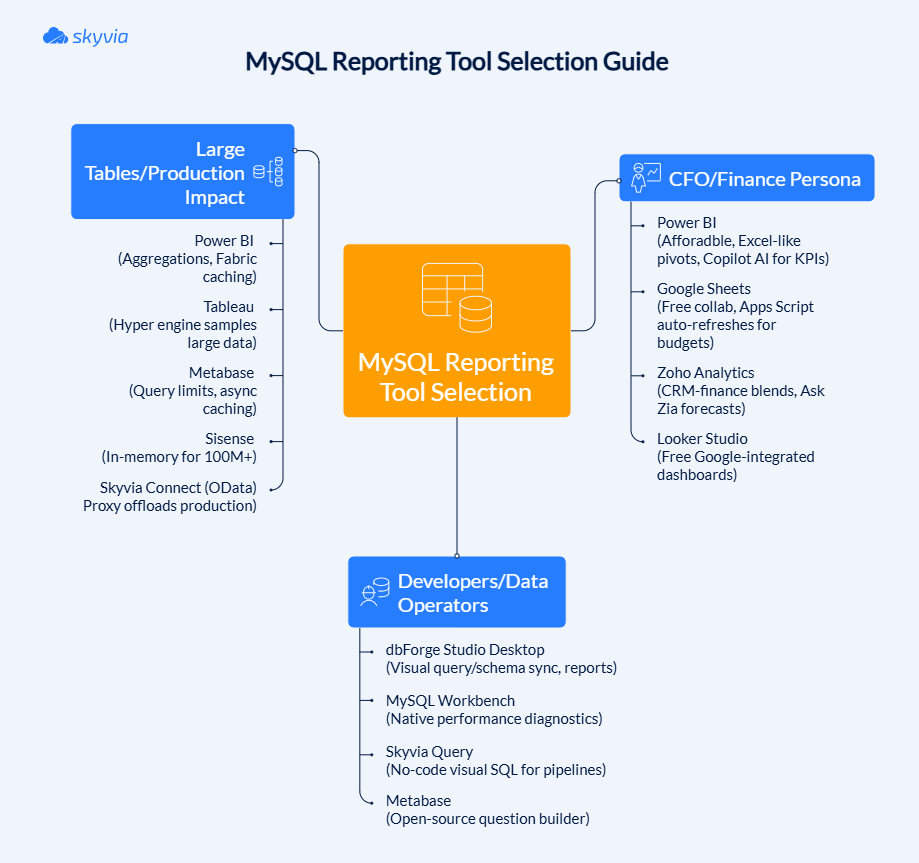
MySQL reporting doesn’t usually start with a grand plan. It starts with a question someone needs answered, fast. The mistake is trying to solve every reporting problem with the same tool. A better approach is to work backwards from who is asking and what shape the data is already in.
Here’s a more realistic way to think about it.
If you are a CFO or someone close to finance:
You probably don’t want a new platform to learn. Excel or Power BI is often the right first move. They are familiar to 99,9% of team members, quick, and good enough until reporting needs become shared and repeatable.
If you are a developer or data-leaning operator:
You want to inspect tables, test joins, validate transformations, and understand exactly how a number was produced. Tools like MySQL Workbench or Skyvia Query work well in this stage because they keep you close to the data, allow precise querying, and make it easier to verify results before anything is promoted into reports or dashboards.
If your tables are already large (10M+ rows) or reporting hurts production:
At this point, direct reporting on MySQL is the wrong fit. The standard solution is to replicate data into a warehouse like BigQuery or Snowflake using Skyvia, then report from there. Your app stays fast, and queries get cheaper.
Conclusion
One tool simply can’t satisfy everyone, and this is the main reason why MySQL reporting might turn into a tug of war. That’s why choosing should be based on selecting the path first, then a solution.
- Tools like Power BI or Tableau make sense if you’re making decisions at the top, given the fact that MySQL data is staged properly somewhere in a warehouse.
- If you live closer to the numbers (finance, marketing, ops), Excel or Google Sheets are often enough, especially when the data flows in automatically.
- And if you’re the one responsible for the database itself, nothing beats native tools like MySQL Workbench or query-first environments like Skyvia Query for understanding what’s actually happening under the hood.
The common thread isn’t the dashboard. It’s the connection. Clean, predictable access to MySQL is what turns reporting from a potential liability into an asset.
Don’t let brittle connections or overloaded databases decide how much insight you’re allowed to have. Start by unifying your MySQL data with Skyvia – replicate it when scale matters, expose it safely when connectors are missing, and let each role use the tools that actually fit how they work.

FAQ for MySQL Reporting Tools

How can I connect Excel to MySQL without installing ODBC drivers?
You can pull data through intermediaries like cloud queries, APIs, or synced exports. Tools like Skyvia can deliver MySQL data into Excel without local drivers or fragile setups.
What are the best free open-source reporting tools for MySQL?
Metabase and MySQL Workbench are common picks. Metabase works well for internal dashboards, while Workbench focuses on technical diagnostics rather than business reporting.
Do I need to know SQL to create reports from MySQL?
Not always. Many tools offer visual builders or no-code layers. SQL helps when things get complex, but it’s no longer a hard requirement for everyday reporting.
Is it secure to open MySQL database ports for cloud reporting tools?
Usually no. Opening port 3306 exposes your database directly to the internet. Safer options use proxies, APIs, or replication layers that avoid direct access.
Can I combine MySQL data with data from other sources like Salesforce or HubSpot?
Yes. This is typically done by syncing data into a warehouse or exposing it through a shared layer, where reporting tools can blend multiple sources without hitting production systems.