Summary
- Skyvia – A practical choice for startups that want predictable, storage-based pricing and the ability to restore related records, without committing to per-user licenses.
- Spanning – A straightforward option for Google Workspace–focused teams that want backups to stay out of the way and do their job.
- Rewind – A good fit when most things that can break live inside your store, and you mainly need a way to undo bad changes without drama.
- Own (OwnBackup) – Usually shows up once Salesforce starts feeling fragile and “good enough” backups no longer feel good enough.
- Veeam – Often chosen when infrastructure gets real, servers appear, and reliability starts to matter more than convenience.
Most teams run almost entirely on SaaS. Yet backups are often skipped, not because they’re unimportant, but because budgets are tight and priorities pile up. Thankfully, affordable SaaS backup software for startups exists. No need to choose between data protection and the team’s monthly coffee supply.
There’s also a myth that gets in the way: “It’s in the cloud, so it’s backed up.” In reality, SaaS vendors protect their infrastructure, not your data. The responsibility to back it up sits with you. Recycle bins and short retention windows help with obvious mistakes, but they’re not designed for the kind of issues startups actually run into as they grow.
We’ll walk through seven backup tools that are genuinely accessible for startups, focusing on where each one fits. Along the way, we’ll highlight why Skyvia stands out with a pricing model that scales with data, not headcount – a slight difference that matters more than most teams expect.
Table of Contents
- What Defines “Affordable” for a Startup?
- Top 7 Affordable SaaS Backup Software for Startups
- Comparative Table: Per-User vs. Flat-Rate Pricing
- Why “Free” Tools Aren’t Enough
- How to Choose the Right Tool for Your Stage
- Conclusion
What Defines “Affordable” for a Startup?
For startups, “affordable” rarely means cheap. It means predictable. It means knowing what the bill will look like next month, and not being surprised when the team grows, data piles up, or something needs to be restored in a hurry.
Backup pricing often looks simple at first glance. The problems usually show up later, when the model you picked starts reacting to things that have nothing to do with how much data you store.
Pricing Models
Most backup tools fall into a few familiar pricing patterns. Two of them are responsible for most surprises.
Per-User Pricing
Per-user pricing sounds reasonable until it runs up against the realities of startups.
You’re charged a fixed monthly fee per user. Add people, pay more. That works fine for stable teams. Startups aren’t stable by design. Hire a few interns, bring in contractors, or spin up temporary accounts, and suddenly your backup bill jumps even though your data hasn’t changed.
The risk isn’t the price per user. It’s that the headcount becomes a cost driver for something that should be tied to storage, not people.
Storage-Based Pricing
Here, the amount of data is the central point. If your team can double or even triple, but your data footprint stays the same, your bill doesn’t grow.
This model tends to fit startups better because it aligns with real usage. You can grow your team, experiment, and onboard people without having to rethink your backup strategy every time HR sends an update.
Scalability
The best SaaS backup solutions for startups let you start small, and then scale in a straight line as data grows. In the other corner of the ring are tools that look affordable early on, but when you cross an arbitrary limit, the bill jumps aggressively.
Try to focus on what will happen after the first year, when data has doubled, and backups actually matter, not on the cheapest option right now.
Hidden Fees
When a tool has secrets from you, affordability never even enters the chat. It might be an extra charge to restore data or to exceed retention limits. Cloud storage options often look cheap until you need to pull data out and discover egress fees waiting on the other side.
For startups, restores aren’t a theoretical scenario. They’re the whole point of having backups in the first place. A pricing model that punishes you for using your own data defeats that purpose.
Top 7 Affordable SaaS Backup Software for Startups
1. Skyvia
Why it wins
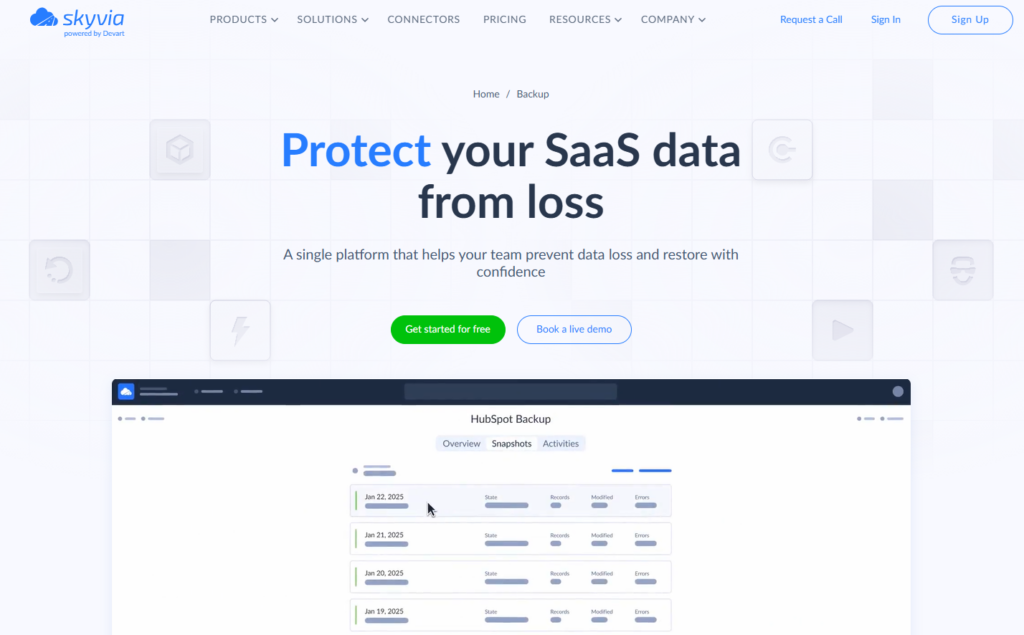
- Storage-based pricing with a real free tier. You pay for data, not people on the team, and you can start without committing a cent.
- Designed for lean teams. Setup takes minutes, not meetings, and day-to-day use doesn’t require a specialist.
- No per-user limits. Hiring interns, contractors, or rotating staff doesn’t quietly inflate your backup bill.
- Enterprise-grade security without enterprise friction. Azure-based storage with solid compliance, but sized and priced for startups.
- The deal can bring much more than a backup. The platform also offers powerful data integration capabilities, automation, and query capabilities, all in one place.
- Skyvia earned Capterra’s “Best Ease of Use” and “Best Value” badges in 2026. It lines up with how little ceremony and investment it takes to get backups running and restores working.
Pricing
Skyvia’s backup pricing scales only with storage, which is exactly what startups want backups to scale with. You can start on a free plan with 1GB of storage, enough to test real backups and restores. Paid plans begin at $7 per month ($9 if billed monthly) for 20GB and increase gradually with your data usage.
The free tier protects 1 GB of data and provides 3 months of snapshot storage.
Key Features for Startups
- Backups that don’t ask for attention. Once scheduled, they run daily without nudges, scripts, or follow-ups, which is exactly how backups should behave.
- You can see what you’re restoring and fixing small mistakes. Instead of guessing and rolling everything back, you can open past backups, find the exact email, file, or record, and bring back just that.
- Older backups are still usable. When someone notices a problem days later, the data is still there, not already rotated away.
- Access is limited by default. Only the right people can restore or export data, and everything stays encrypted without extra setup.
- Runs without local setup. There’s no agent, no install, and nothing sitting on someone’s laptop or server that needs upkeep.
Skyvia works well for startups because it treats backups as infrastructure, not as a licensing exercise. You protect your data, you know what you’re paying for, and nothing unexpected happens when the team or the business grows.

2. Spanning
Focus
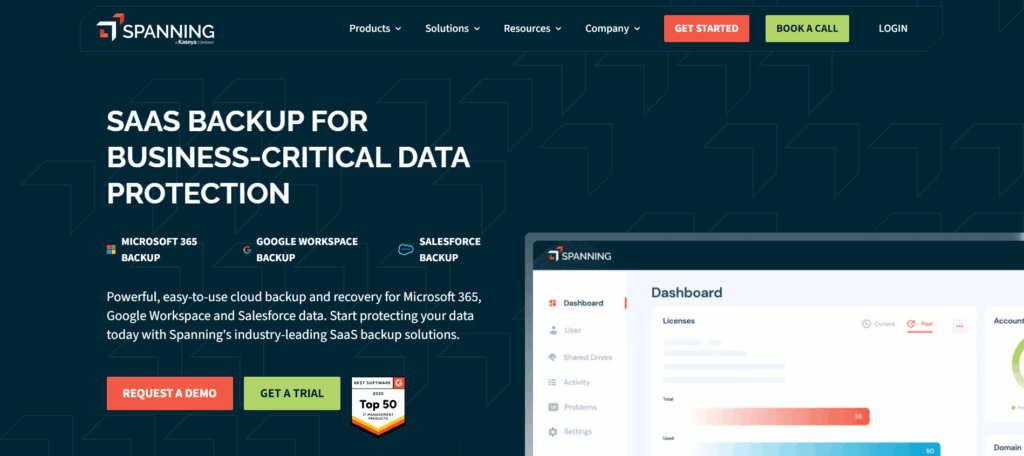
Spanning doesn’t try to be a general-purpose backup tool. It focuses on Google Workspace and does that one job well, which makes it appealing to teams that don’t want to think about backups beyond knowing they’re covered.
Best for
- Startups where Google Workspace is the backbone and unlikely to change anytime soon.
- Small teams that want backups handled quietly, without learning a new system or maintaining settings.
- Founders and ops teams who prefer something opinionated and simple over something flexible.
Pricing
Spanning uses a per-user, per-year ($48) pricing model with a single plan. You pay the same amount for each active user, and storage is effectively unlimited.
Pros
- Very straightforward to set up and operate, especially in Google Workspace environments.
- Restores are easy to run.
- Unlimited storage removes the need to monitor data growth.
- Security and compliance are handled without extra configuration.
Cons
- Pricing grows linearly as the team expands, including interns or short-term accounts.
- Little room outside its core SaaS focus, with no broader ecosystem to grow into.
- Less cost-efficient than storage-based options once headcount grows faster than data.
3. Backupify (Datto)
Focus
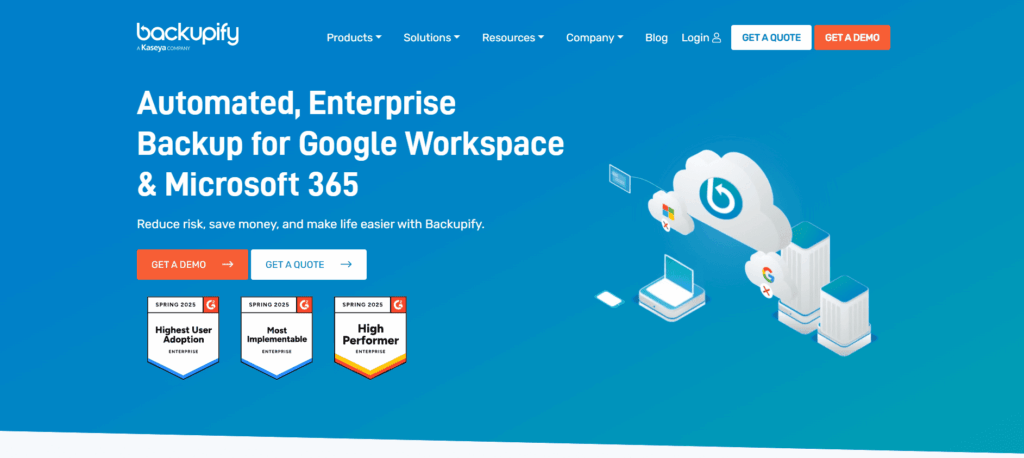
Backupify tends to show up when a startup doesn’t really “choose” a backup tool. It comes bundled through an MSP (Managed Service Provider) relationship and is meant to run quietly in the background, especially for Google Workspace and Microsoft 365 environments.
Best for
- Startups that already have enough responsibilities on their plate and don’t want to add backup here.
- Teams that primarily use Microsoft 365 or Google Workspace and have no intention of branching out.
Pricing
Backupify is priced per user, per month ($3), through custom quotes. Storage is effectively unlimited, but as teams grow or contracts renew, costs can change.
Pros
- Ransomware protection is taken seriously, with backups that can’t be tampered with after the fact.
- You can restore individual emails or files without triggering a wider rollback.
- Once it’s wired up by an MSP, it tends to run steadily without follow-up.
Cons
- Pricing often isn’t clear until you’re deep into quotes or renewal discussions.
- The product feels designed for MSPs first, which can make direct support less intuitive for startup teams.
- Outside Google and Microsoft, there’s nowhere to grow if your stack expands.
4. Rewind
Focus
Rewind stays firmly in the e-commerce lane. It’s built around platforms like Shopify, BigCommerce, and QuickBooks Online, with a clear goal: make it easy to recover the things that change constantly in online stores, from products and themes to orders and transactions.
Best for
- Startups where Shopify or BigCommerce isn’t just a tool, but the core of the business.
- Teams that change products, themes, or discounts often and want a safety net they can use themselves.
- Founders who don’t want backups to feel like an IT concern until the moment something goes wrong.
Pricing
Rewind’s pricing also uses a per-user approach, where one month will cost $4. However, if your company has more than 100 employees using the platform, the price will slightly go down.
Pros
- Understands e-commerce data in a way that general backup tools usually don’t.
- Lets you undo particular mistakes, like a bad theme update or an overwritten product description.
- Simple enough that non-technical team members can run restores without hesitation.
- Once it’s set up, it rarely needs attention until you actually need it.
Cons
- Narrow focus makes it a poor fit outside e-commerce and a few supported apps.
- Not designed for broader CRM, ERP, or cross-system backup needs.
- Pricing can climb as stores grow or add multiple apps, especially compared to storage-based alternatives.
5. Own (formerly OwnBackup)
Focus
Own lives deep inside the Salesforce world. It’s built to protect CRM data and metadata at a level that assumes Salesforce is business-critical, heavily customized, and closely audited.
Best for
- Salesforce-first companies where CRM downtime or data loss is simply not an option.
- Teams running complex orgs with lots of integrations, automations, and custom objects.
- Fast-growing companies that already crossed the “we need governance” line.
Pricing
Own sits firmly in the premium tier. Pricing is per user, with meaningful minimum commitments and annual contracts.
Pros
- When something breaks in Salesforce, this is one of the few tools that gives you options instead of panic.
- You can trace changes back to their source, which saves hours of “who touched this last?” conversations.
- Restores don’t feel risky or all-or-nothing, even in heavily customized orgs.
- It’s the kind of tool teams move to after one serious incident, not before.
Cons
- Cost adds up quickly for early-stage teams, especially as headcount grows.
- Minimum contracts can feel heavy before revenue stabilizes.
- Salesforce-centric by design, with limited value outside that ecosystem.
- More setup and configuration than most startups expect from a “backup” tool.
6. Acronis Cyber Protect
Focus
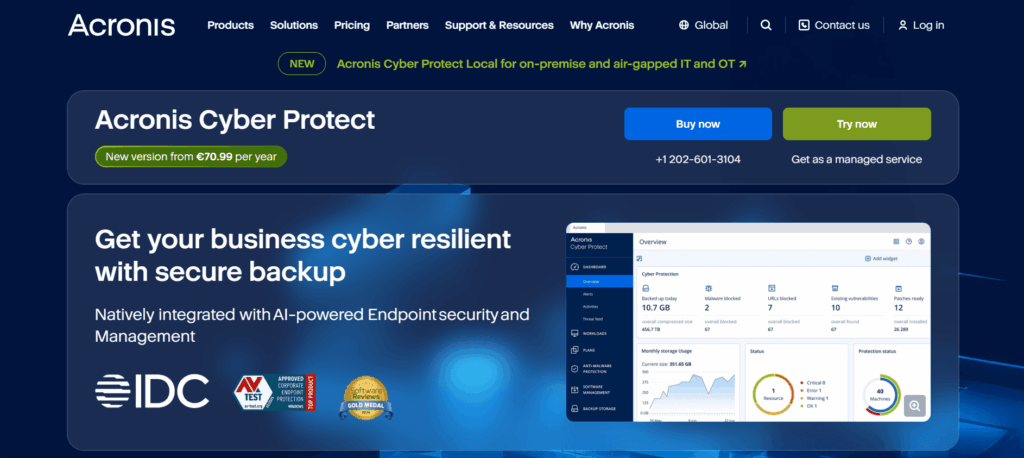
Acronis treats backups as part of a broad “nothing slips through the cracks” mindset, where data protection, malware defense, and device control all sit in the same control panel. That framing shapes everything about the product.
Best for
- Startups where security concerns show up early, not after the first scare.
- Teams with a mix of laptops, servers, and remote machines that all need coverage.
- Founders who want fewer vendors involved in keeping systems safe, even if that means a heavier tool.
Pricing
Acronis charges by what you protect, not how many people you hire. Each workstation, server, or virtual machine comes with its own price tag. For example, their most modest plan (best for protecting up to 5 devices) for workstation computers will cost you $85 a year, while a virtual hose protection will cost $675 a year.
Pros
- Feels reassuring once it’s in place, especially for teams that worry about more than just accidental deletes.
- Gives security-minded founders a single place to look instead of guessing which tool failed.
- Handles mixed environments without special cases or workarounds.
- Appeals to teams that prefer prevention and control over simplicity.
Cons
- Setup can feel heavy if all you wanted was a simple SaaS backup.
- The interface assumes an IT or security background, not a founder clicking around on day one.
- Pricing and configuration add overhead that smaller teams often don’t need.
- Less focused on SaaS-first workflows compared to lighter, data-centric tools.
7. Veeam
Focus
Veeam comes from a world where infrastructure is something you own, not just subscribe to. It’s built for teams that still run servers, virtual machines, or private clouds, and need a backup strategy that doesn’t fall apart once things get mixed and messy.
Best for
- Startups that already run some on-prem or VM-based infrastructure alongside cloud services.
- Teams that care about recovery time just as much as having a backup at all.
- Founders who expect their infrastructure to get more complex before it gets simpler.
Pricing
Veeam prices by what you protect: virtual machines, instances, workloads, or users, depending on the setup. There’s a free Community Edition for small environments, which makes it easy to test or cover early infrastructure. Once you move past that, pricing becomes subscription-based and quote-driven, and it rewards stable, well-defined environments more than fast-changing SaaS stacks.
Pros
- It’s trusted because it’s been battle-tested, not because it markets well.
- When recovery matters, it behaves predictably instead of surprising you.
- Fits naturally into environments where on-prem and cloud coexist, without awkward workarounds.
- Scales with infrastructure growth without requiring full tool replacement.
Cons
- Takes real IT know-how to set up and keep tidy.
- Feels heavy if your needs are mostly SaaS apps and not servers or VMs.
- Pricing and licensing can be hard to reason from early on.
- Less friendly for lean teams compared to no-code tools like Skyvia or Spanning.
Comparative Table: Per-User vs. Flat-Rate Pricing
Let’s ground this in something concrete.
Imagine a startup with 20 employees and around 10GB of CRM data. A small sales team, a few marketing users, nothing out of the ordinary.
| Scenario | Monthly Cost |
|---|---|
| Per-user backup tool | 20 users × $3/user = $80/month |
| Skyvia (storage-based) | 10GB fits into Standard plan (20GB) = $7/month |
That’s roughly 88% less for the same basic outcome: your data is backed up and recoverable.
The difference isn’t about discounts or generosity. It’s about what the pricing is tied to. One model grows with headcount, whether the data does or not. The other stays anchored to the data itself, which is usually the calmer option for early-stage teams.
Why “Free” Tools Aren’t Enough
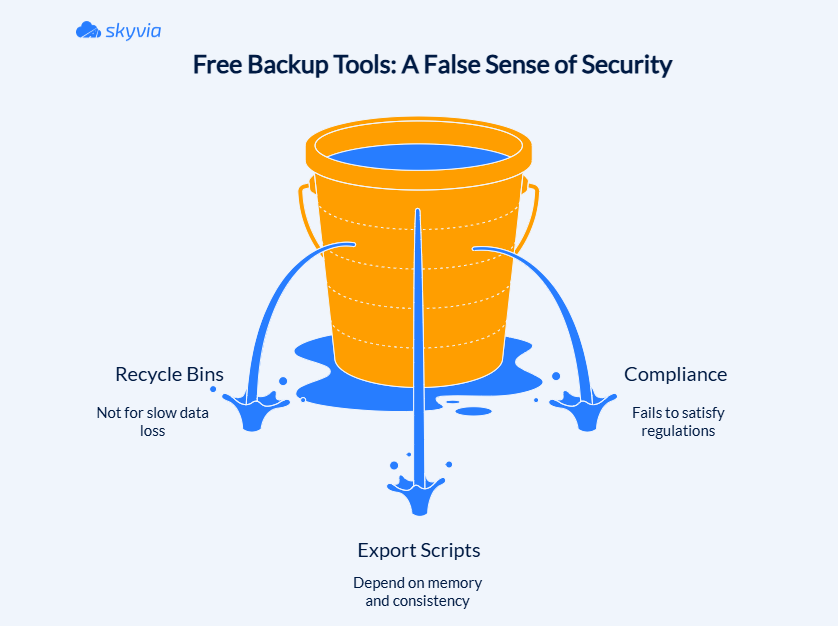
When a budget is tight, every saved dollar feels like an earned one. That’s why free backup tools are so alluring. The problems that hurt startups tend to be quieter, which makes them easier to miss, and much harder to undo once enough time has passed.
Let’s look at the limits of “free” before you cross them:
Recycle Bins Are NOT Backups
Recycle bins are built for accidents you notice right away. The problem is that most data losses in startups might not be straightforward. Usually, they are slow but can slip through cracks pretty fast.
For example, a bulk update runs on Friday evenings. Integration pushes a bad sync. Someone “cleans up” old records that turn out not to be old. Nobody notices until a report looks wrong weeks later. By then, the recycle bin has already done what it’s designed to do: empty itself.
Export Scripts
At some point, every startup considers the DIY route – export everything once a week and put it in a folder.
On paper, it sounds reasonable. In reality, exports depend on memory, consistency, and people not being busy. Eventually, someone forgets to run them. Or even worse, someone stores them somewhere on a shared drive. Then, someone leaves the company and takes context with them.
Even when exports happen on schedule, they age badly. Relationships break. New fields appear. Old ones change the meaning. The only solutions left in this situation are to hope nothing important gets lost in transition.
Compliance
Most startups don’t think about compliance early on. There are too many issues causing stress. However, a spreadsheet on someone’s laptop stands no chance at satisfying SOC 2 or HIPAA, let alone investors who look for backups that don’t depend on memory.
A healthy amount of paranoia, exactly needed for everything running and the team sleeping soundly, is what backups bring to the table.
How to Choose the Right Tool for Your Stage
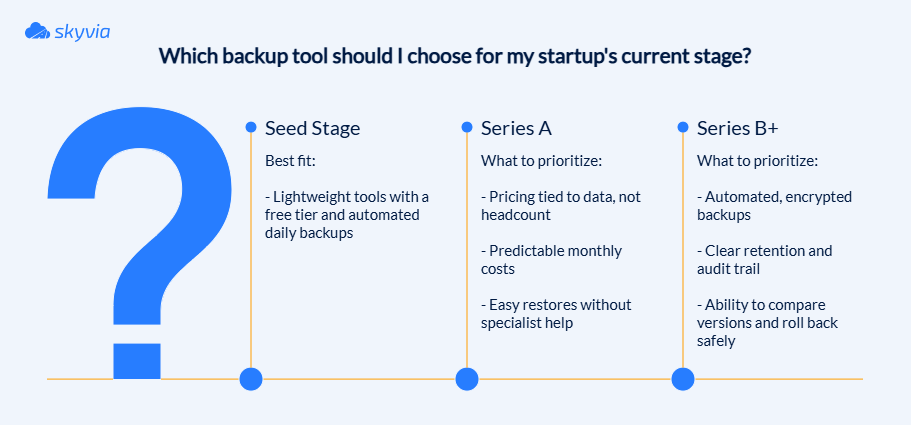
The best answer to this specific type of “How to choose?” question is not to assume that the same patched-up setup that made sense on day one will still work on day three hundred. Startups are almost synonymous with growth, which puts us closer to the idea that everything about it better be about expansion when the right moment comes, straight away.
Seed Stage (0-10 employees)
At this stage, the win is simple: knowing you can undo mistakes without thinking about it too much.
You don’t need policies or approval flows. You need something that runs quietly and gives you a way back when something gets deleted or overwritten. If it also costs almost nothing, like Skyvia, the situation is a pure win-win.
Its Free plan (or Basic if you already have a few GBs of data) fits the seed stage perfectly. You get automated backups from day one, without locking yourself into a different setup later.
Series A (10-50 employees)
Hiring accelerates, and suddenly, per-user pricing shows its teeth. Your data hasn’t changed much, but your backup bill has. And it keeps rising for reasons that have nothing to do with risk.
At this stage, it’s worth choosing tools that scale with data, not new hires. Storage-based pricing keeps costs tied to what you actually protect, not how many people were lucky enough to touch it.
Series B+ (50+ employees)
By now, data problems are not only annoying but also expensive.
Something dies mid-process, a report confidently displays nonsense, or a customer catches discrepancies your team somehow missed. You need to know what changed, how far back the issue goes, and how to undo it without making things worse.
That is also when external eyes are on you. Auditors, customers, and partners don’t care how lean your team is. They expect automated, encrypted backups with clear retention and a recovery story that doesn’t involve scrambling through exports.
Backups aren’t about peace of mind anymore. They’re about keeping incidents contained so the rest of the company can keep moving.
Conclusion
Data loss in startups rarely comes from recklessness. It comes from postponing a decision because the timing never feels quite right. Budgets are tight, priorities compete, and backups quietly slide down the list until something breaks and there’s no clean way back.
The good news is that protecting your data doesn’t have to mean buying into heavy, enterprise-grade tooling or committing to pricing models that make growth painful financially. For most lean startups, Skyvia strikes a practical balance: costs tied to data instead of headcount, and enough depth to restore real relationships when things go wrong, not just isolated records.
If you want to take backups off your worry list, start small. Skyvia’s Free Plan lets you protect real production data, automate backups, and see how restores work before committing to anything.

F.A.Q. for Affordable SaaS Backup for Startups

How is storage-based pricing different from per-user pricing?
Storage-based pricing tracks the amount of data you protect. Per-user pricing increases with headcount, even when the underlying data volume stays the same.
Can’t I just use CSV exports or the Recycle Bin as a free backup?
Recycle bins expire, and exports rely on manual effort. Neither provides long-term history, reliable restores, or protection against unnoticed data changes.
How much does affordable SaaS backup software cost for a small business?
Many startup-friendly tools begin free or under $10 per month and scale gradually with data size rather than user count.
Is SaaS backup software required for SOC2 or HIPAA compliance?
Auditors typically expect automated, encrypted, off-site backups with defined retention. Manual exports or recycle bins rarely meet those expectations.
How long does it take to implement a SaaS backup solution?
Most modern SaaS backup tools can be set up in minutes and run automatically once connected.