Summary
- Cloud orchestration is the coordinated management of cloud resources, applications, and data workflows across multiple systems. It spans several layers of the stack, each solving a different problem.
- Infrastructure orchestration provisions resources for applications to run (implemented by tools like Terraform and CloudFormation).
- Container orchestration manages application runtime (enabled by tools like Kubernetes and Docker Swarm)
- Data & application orchestration coordinates information flow and execution of business processes (managed by tools like Skyvia, Airflow, and Prefect)
The boom of cloud technologies has enabled companies to use dozens of SaaS applications, operate across multi-cloud environments, and run endless data streams. But it also raised a question of control – how to effectively manage all this heterogeneity, without drowning in it?
Automation can bring some relief but only for a while, as it is geared towards a concrete task. To tie these tasks into a coherent chain of actions, you need something smarter — something that understands the specifics and relationships of the involved components on a deeper level. And this “something” is orchestration.
With the right orchestration tool used at the right layer of your stack, you can turn the clamor of disconnected systems into a harmonious suite that supports your processes rather than stalling them. In this article, we explore cloud orchestration tools through the lens of three orchestration layers: infrastructure, containers, and data.
Table of Contents
- The 3 Types of Cloud Orchestration
- Top Cloud Orchestration Tools for Data & Workflows
- Top Infrastructure Orchestration Tools
- Top Container Orchestration Tools
- Comparison Table: Which Tool Do You Need?
- Conclusion
The 3 Types of Cloud Orchestration
You may ask: but what is cloud orchestration? Does it include provisioning servers and networks? Yes. Is it about keeping applications alive and scalable? Yes. Does it relate to moving data between SaaS apps? Again, yes!
This affirmation is easy to explain as cloud orchestration spans several layers of the stack, each solving a different problem. Detached from these layers, comparing orchestration tools makes as much sense as discussing apples-versus-oranges.
The diagram below illustrates this layered model, which consists of three orchestration levels: infrastructure, containers, and data.
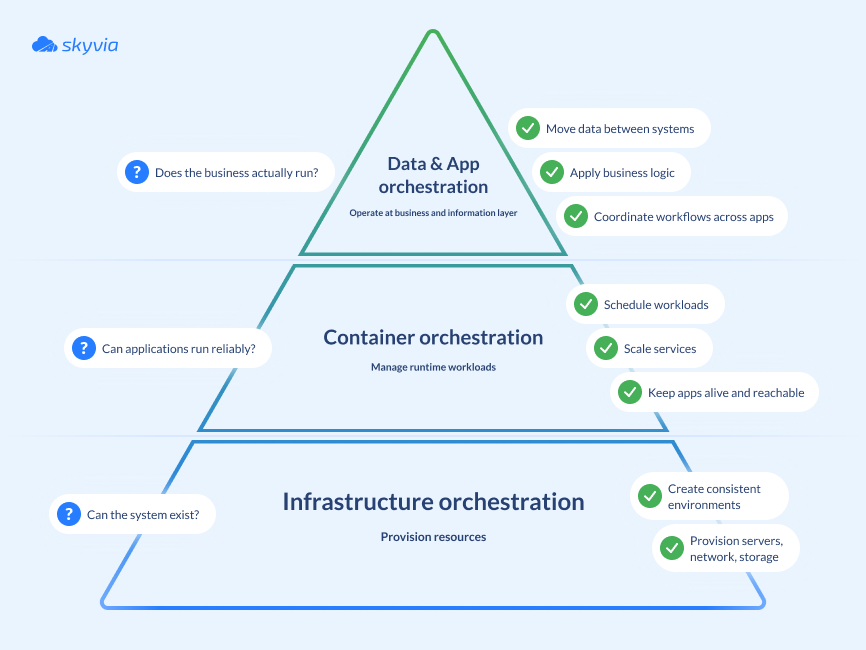
In the following sections we’ll look at each type of cloud orchestration in more detail and explore the tools that operate at each level.
Infrastructure Orchestration (IaC)
Times of manual infrastructure creation, provisioning, and management have outlived themselves. In modern cloud systems, infrastructure orchestration implies scale, repeatability, and consistency — something that no script or runbook can efficiently deal with. This orchestration is typically implemented as IaC (Infrastructure as Code). What is behind this concept, and why is it so ubiquitous?
The IaC approach treats all infrastructure resources – objects such as servers, databases, networking, and storage – as programmable units defined in code. Thus, it narrows down what was once a challenging manual task of infrastructure spin-up to running an IaC script – as simple as it is. Moreover, IaC takes well-established software development practices – such as versioning, testing, and continuous integration – and applies them to IT infrastructure management. This yields multiple benefits:
- Automation. Environments are provisioned automatically from code, no manual setup and less chances of human error.
- Replicability. With each execution you receive an identical infrastructure, which prevents configuration drift between environments and simplifies maintenance and debugging.
- Scalability. Your IaC script scales environments up or down, saving on cloud costs.
- Transparency. With all changes reflected in a version control system, you always know who changed what, when and why.
- Documentation. No more tribal knowledge – all infrastructure-related information is codified and stored in Git.
Container Orchestration
You have definitely come across cases when the same application works in one environment but stalls in another. Containers remove the well-known “it works on my machine” argument: a containerized application either runs everywhere or does not run at all.
If an application consists of just a few containers, managing it with Docker Engine is relatively easy. But when there are thousands of deployed containers, things become more intricate. To the rescue comes container orchestration software – tools like Kubernetes, Docker Swarm or Amazon ECS. They can automate most tasks related to container deployment, scaling, updating, scheduling, networking, and monitoring.
Data & Application Orchestration
Cloud infrastructure, container platforms, and SaaS applications – this is where organizations usually invest first. These technologies act as enablers for operational outcomes – the business results they are ultimately meant to support.
However, even with state-of-the-art cloud infrastructure, Kubernetes clusters, and a dozen fancy SaaS tools, organizations can still struggle operationally – if data remains siloed across applications and business logic lives in people’s heads.
Data and application orchestration is what connects technology to outcomes. Operating at the business and information level, this layer sits above infrastructure and runtime, coordinating data flows across systems and the execution of business logic.
At its core, data orchestration involves:
- Moving data between systems. Synchronizing and transferring data between SaaS applications, databases, data warehouses, and cloud services.
- Automating business logic. Defining rules and workflows that determine when data moves, how it is transformed, and what actions should follow.
- Coordinating multi-step processes. Ensuring that data pipelines, integrations, and downstream actions run in the correct order and respond to changes or failures.
Platforms such as Skyvia focus specifically on this layer, acting as the glue between cloud systems and business processes.
Top Cloud Orchestration Tools for Data & Workflows
Skyvia
A comprehensive, no-code cloud data platform that orchestrates data flows between 200+ sources. Skyvia enables businesses to integrate SaaS applications, databases, and cloud services while embedding automation and logic directly into data workflows.
G2 rating: 4.8/5
Key Features
- Control flow. Orchestrates complex data pipelines using conditional logic (If/Else), dependencies, and error handling.
- Automation. Supports scheduling and event-driven workflows, enabling automated reactions to changes in source systems.
- No-code interface. Provides a browser-based, visual UI accessible both to engineers and business users.
- Monitoring and logging. Tracks workflow and task execution, recording statuses and failures.
Best For
Organizations that need to move data between applications and databases quickly, without heavy engineering.
Pros
- Combines ETL/ELT, data synchronization, backup, and workflow automation in a single browser-based platform.
- Low entry barrier compared to code-heavy orchestration tools.
- Well suited for cross-application data flows involving SaaS platforms and cloud databases.
Cons
- Less flexible than custom-coded solutions for highly specialized or non-standard logic.
- Primarily focused on data and application integration, rather than real-time streaming.

Apache Airflow
Apache Airflow is an open-source, code-driven workflow orchestration platform designed for batch-oriented tasks. Airflow operates automatically at runtime, but requires initial human effort to define pipelines in code (typically Python). Once the code is in place, the platform relies on explicitly defined logic, task order, and dependencies to schedule, execute, and monitor data pipelines.
G2 rating: 4.4/5
Key Features
- Defines pipelines as Directed Acyclic Graphs (DAGs) – programmatically defined models that encapsulate everything needed to execute a workflow.
- Provides built-in scheduling, retries, alerting, and a web UI for monitoring pipeline execution.
- Includes an extensive library of operators and plugins for a variety of integrations.
- Tracks task execution and state in a metadata database, providing operational visibility.
Best For
Engineering-led teams running complex batch data pipelines (ETL/ELT) with fixed schedules.
Pros
- Highly flexible due to its code-driven nature.
- Can run on-premises, in the cloud, or as a managed service.
- Well suited for complex, multi-step data pipelines.
- Large and mature open-source community.
- Strong observability over pipeline execution.
Cons
- Steep learning curve compared to no-code alternatives.
- Requires engineering effort to develop, deploy, and maintain workflows.
- Not a good fit for real-time or event-driven use cases.
Prefect
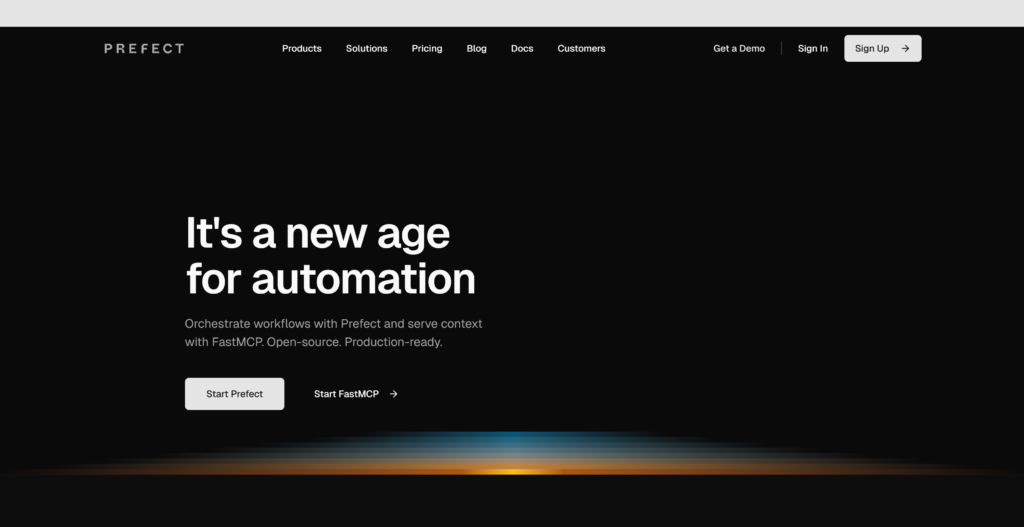
Prefect is a modern data workflow orchestration platform that allows users to build, run, and monitor data pipelines using Python-defined flows and tasks. Compared to Airflow, it is considered more flexible: unlike static DAG-based pipelines, Prefect workflows behave like normal code, which makes them more intuitive for developers.
G2 rating: 4.5/5
Key Features
- Python-native workflow definition.
- Decoupled orchestration and execution layers for pipeline portability and scaling.
- Flexible execution model: supports both scheduled and event-driven workflows.
- Can be run either fully self-hosted or with a managed cloud control plane.
Best For
Dynamic and event-driven workflows; developer-centric teams that prefer writing orchestration logic as Python code.
Pros
- More flexible workflow model compared to traditional DAG-based orchestrators.
- Strong developer experience with clear APIs and readable code.
- Support for dynamic and event-driven pipelines.
Cons
- Requires engineering effort and Python expertise.
- Less standardized in large enterprises than more established orchestration platforms.
- Some advanced features are accessible only within Prefect’s managed cloud offering.
Dagster
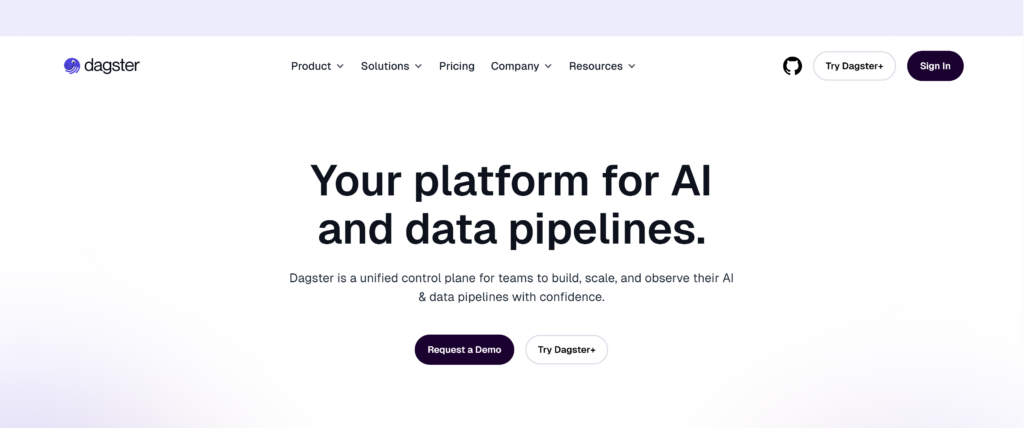
Dagster is a code-first orchestration platform for building and monitoring scalable AI and data pipelines. Like Airflow and Prefect, it operates with Python-based workflows. What sets Dagster apart is its asset-centric approach to orchestration: unlike the mentioned tools, Dagster models pipelines around the data itself rather than the tasks that produce it, making dependencies, ownership, and data lineage explicit.
G2 rating: 4.7/5
Key Features
- Operates on an asset-centric basis, with data as the primary orchestration unit.
- Features an open-source core with extended functionality available through proprietary cloud and enterprise offerings.
- Offers flexible deployment options, including managed and self-hosted.
- Uses persistent metadata state to record when data assets were produced and how they depend on one another.
- Supports type checks, schema validation, and data quality checks.
Best For
Asset-centric analytics platforms; environments with strong data quality and validation requirements.
Pros
- Strong focus on reliability, testing, and data quality.
- Good observability and developer tooling compared to traditional schedulers.
- Enterprise-ready features.
Cons
- Steep learning curve due to its conceptual model (assets vs tasks).
- Requires Python expertise and engineering involvement.
- May not be a good fit for business-facing workflows.
Top Infrastructure Orchestration Tools
Terraform
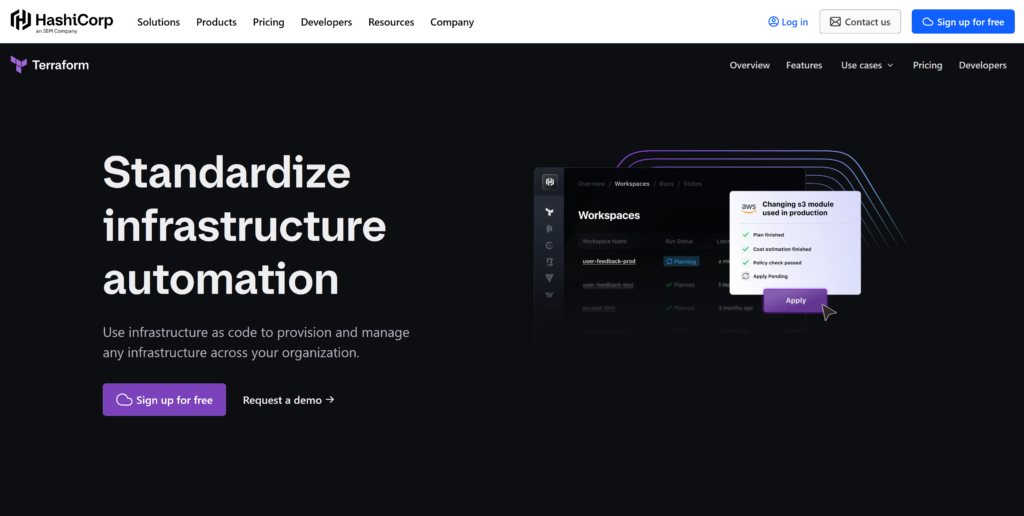
Terraform by HashiCorp is an IaC software that lets you define your infrastructure resources – both cloud and on-premises – as human-readable configs. It is one of the most popular IaC tools that allows creating infrastructures in a repeatable, documented way.
G2 rating: 4.7/5
Key Features
- Creates and manages resources through their APIs. This interaction is handled via providers – dedicated plugins that Terraform installs to work with specific technologies.
- Manages both low-level components (compute, storage, and networking resources) and high-level components (DNS entries, SaaS features).
- Allows review of changes by presenting an execution plan that describes actions related to infrastructure creation, update, or destruction based on the configuration file.
- Defines and respects resource dependencies when executing a plan.
- Supports modules – reusable collections of resources – allowing infrastructure to be provisioned quickly and predictably.
Best For
Multi-cloud and hybrid infrastructure provisioning.
Pros
- Integrable with a broad list of technologies thanks to an extensive library of existing providers.
- Supports multi-cloud deployments.
- Provides traceability of infrastructure code changes.
- Backed by a large and active community.
Cons
- Steep learning curve due to the need to learn Hashicorp Configuration Language (HCL).
- No support for templating configuration files.
- No built-in rollback mechanism once a plan is executed.
- Being moved under BSL in 2023, it lost its open source status.
Red Hat Ansible
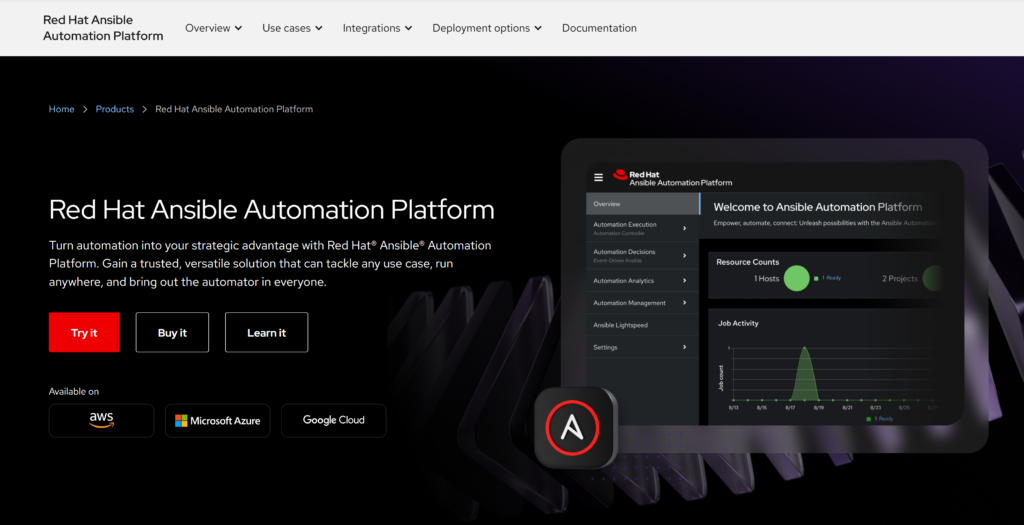
Red Hat Ansible Automation Platform is designed as a one-stop-shop solution for configuring, automating and orchestrating an entire IT estate with one platform. It is not an infrastructure orchestrator in the first place, like Terraform and CloudFormation, but rather a configuration and automation tool. Ansible shines in application deployment and post-provision setup, such as software updates, patching, and restarts.
G2 rating: 4.6/5
Key Features
- Procedural tool that uses YAML-based playbooks to define automation tasks.
- Operates in an agentless manner, connects to managed nodes remotely via SSH or WinRM.
- Provides a large ecosystem of modules to support a wide variety of IT integrations.
- Built atop of the popular open-source Ansible project, extends its core functionality with enterprise features, support, and tools for large-scale use.
Best For
Automating configuration and day-2 tasks that follow the initial infrastructure provisioning.
Pros
- Easy to read and write automation definitions due to its simple YAML syntax.
- Allows for a centralized management from a control node.
- Doesn’t require installing software agents on managed nodes.
- Performs versatile automation tasks.
- Strong enterprise support and tooling through Red Hat.
Cons
- Limited built-in state management compared to declarative IaC tools.
- Requires additional costs for enterprise features.
AWS CloudFormation
CloudFormation is an IaC service that defines, provisions, and manages AWS resources via declarative templates using YAML or JSON syntax. Thus it enables consistent and repeatable infrastructure creation tightly integrated with the AWS ecosystem.
G2 rating: 4.4/5
Key Features
- Uses declarative templates written in YAML or JSON to describe AWS infrastructure resources.
- Automatically handles resource dependencies and determines the correct order of operations during deployment.
- Supports change sets, allowing you to preview how a stack will be modified before applying changes.
- Provides built-in state management and drift detection for deployed resources.
- Integrates with AWS IAM for fine-grained access control.
Best For
AWS-native infrastructure provisioning and management.
Pros
- Natively compatible with all AWS services.
- No additional software installation required; managed entirely by AWS.
- Built-in rollback capabilities in case of stack creation or update failures.
- Robust security model through AWS IAM.
Cons
- Steep learning curve.
- Can be applied within the AWS ecosystem only.
- Slower support for newly released AWS features compared to direct API usage.
Chef
Similar to Ansible, Chef is a configuration management and automation platform, and a procedural tool. Its heavy reliance on code and an agent-based architecture make it substantially harder to manage; yet these trade-offs come with advantages. With its definitions (cookbooks) codified in Ruby, Chef enables a more flexible and expressive approach to writing complex logic. As an agent-based tool, Chef ensures strong state enforcement, which is especially important for regulated environments.
G2 rating: 4.2/5
Key Features
- Follows an imperative configuration model, describing how systems should be set up.
- Uses Ruby-based DSL to write definitions for system configuration.
- As an agent-based tool, it requires Chef agent to be installed on managed nodes.
- Manages configuration drift by continuously applying defined configurations against running systems.
- Works across cloud, on-premises, and hybrid environments.
Best For
Configuration management of long-lived servers; organizations with strong DevOps or operations teams.
Pros
- Fine-grained control over system configuration.
- Strong drift detection and enforcement.
- Mature tooling with enterprise support.
- Well suited for complex operational workflows.
Cons
- Steep learning curve due to Ruby-based DSL.
- Requires strong programmer expertise.
- Agent-based model makes it more complicated to use and maintain.
- Not a good fit for provisioning cloud-native infrastructures due to an imperative model.
Puppet
Puppet is a configuration management platform that belongs to the same “generation” of tools as Chef. Both have much in common in terms of architecture and tasks they were designed to perform. The thing that sets them apart is an approach to infrastructure management: as a declarative tool, Puppet relies on user-defined definitions to describe the desired system state, and then determines the most appropriate way to achieve it.
G2 rating: 4.2/5
Key Features
- Follows a declarative configuration model.
- Features an agent-based architecture.
- Provides visibility into configuration changes, compliance, and drift.
- Offers strong compliance and governance capabilities.
- Supports a broad range of operating systems and infrastructure types.
Best For
Large-scale configuration management; compliance-driven environments.
Pros
- Clear declarative model for desired system state.
- Effective drift detection and correction.
- Mature and stable tool with enterprise features.
Cons
- Steep learning curve due to its unique DLS.
- Increased operational complexity due to an agent-based model.
- Not optimized for cloud-native infrastructures.

Top Container Orchestration Tools
Kubernetes
Kubernetes is an open-source platform for deployment, scaling, and management of containerized applications. The technology that would later become the industry standard in container orchestration, was born in Google. In 2015 it was made open source and became the first project of Cloud Native Computing Foundation (CNCF), whose vast ecosystem of services owes its existence to Kubernetes.
G2 rating: 4.6/5
Key Features
- Schedules containers across a cluster of machines and continuously works to maintain the desired state.
- Provides service discovery and load balancing for containerized workloads.
- Supports self-healing (auto-restart, replacement, and termination of failed containers).
- Enables horizontal scaling (manual or automatic) based on demand and metrics.
- Offers rolling updates and rollbacks for safer application releases.
- Uses a declarative model (YAML manifests) and supports extensibility via Custom Resource Definitions (CRDs) and Operators.
- Runs across many environments: on-premises, public cloud, hybrid, and edge.
Best For
Production-environments with high availability requirements; complex microservices architectures; platform engineering teams building internal platforms.
Pros
- Supports complex, large-scale container workloads.
- Strong portability across infrastructure providers (no vendor lock-in).
- Mature patterns for high availability, resilience, and operational consistency.
- Accumulates a huge ecosystem of related services, tools and integrations.
- Comes with unmatched community support.
Cons
- Steep learning curve and significant operational complexity.
- Requires additional components for a “complete” platform (ingress, observability, policy, secrets, etc.).
- Can be overkill for simple deployments.
Docker Swarm
Docker Swarm is an orchestrator for the namesake container platform, known for its ease of use and native integration with Docker. But neither of these helped it achieve the heights of Kubernetes: its dominance in container orchestration finally led to the shrinkage of Docker Swarm’s ecosystem and mindshare. The platform is still technically supported and used in small workloads and legacy systems already running Swarm.
G2 rating: 4.6/5
Key Features
- Integrated directly into Docker Engine, requires no additional software.
- Allows multiple Docker hosts to be grouped into a single cluster (swarm).
- Uses a decentralized control model with multiple manager nodes that share cluster state.
- Handles basic scheduling, service discovery, and load balancing within the cluster.
- Supports rolling updates and service scaling with minimal configuration.
Best For
Small-scale or legacy container deployments.
Pros
- Easy to set up and use, especially for teams already familiar with Docker.
- Tight integration with Docker CLI and tooling.
- Lightweight and relatively low operational overhead.
Cons
- Limited feature set compared to Kubernetes.
- Though technically supported, it is largely considered obsolete in favor of Kubernetes.
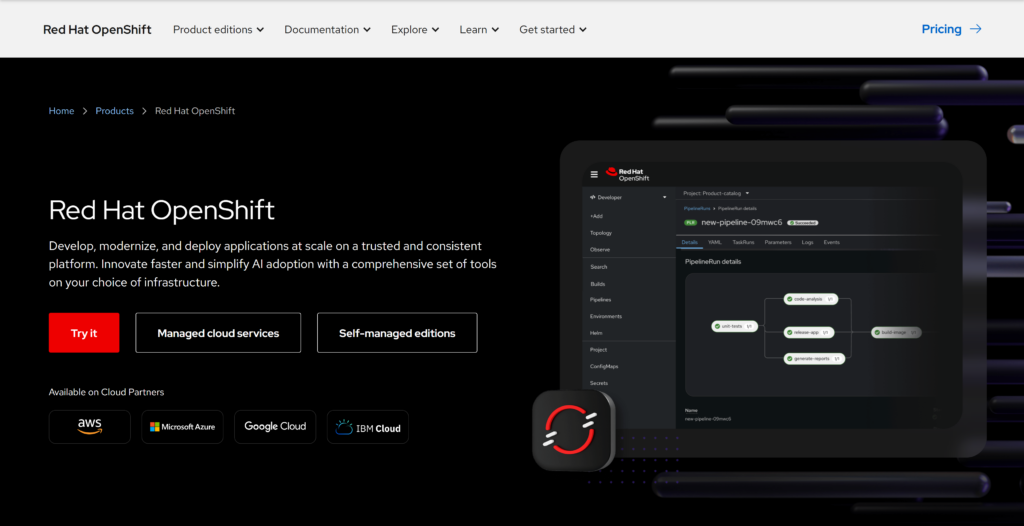
Red Hat OpenShift
OpenShift by Red Hat is an enterprise-level lifecycle management platform for containerized applications. It is built on top of Kubernetes and basically is Kubernetes, augmented with advanced functionality in different areas, including security controls, integrated CI/CD, container registry, monitoring, and logging.
G2 rating: 4.5/5
Key Features
- Platform-as-a-service solution that manages underlying containers using Docker and orchestrates them with the Kubernetes engine.
- Provides integrated developer and operational tooling out of the box.
- Offers an enterprise-level security model and governance features.
- Deployable across multiple environments, including on-premises, public clouds, and hybrid setups.
Best For
Organizations that want Kubernetes with enterprise-grade tooling, security, and support built in.
Pros
- Combines Kubernetes flexibility with enterprise-grade features.
- Production-ready platform out of the box.
- Simpler to use for developers and application teams.
- Enterprise support and maintenance from Red Hat.
Cons
- Steep learning curve for teams new to Kubernetes.
- Increased platform complexity makes it harder to manage for infrastructure teams.
- High licensing and subscription costs.
Comparison Table: Which Tool Do You Need?
| Tool Name | Orchestration Type | Target User | Best Use Case |
|---|---|---|---|
| Terraform | Infrastructure orchestration (IaC) | Platform / DevOps engineers | Provisioning and managing multi-cloud or hybrid infrastructure using a declarative model |
| AWS CloudFormation | Infrastructure orchestration (IaC) | AWS-focused DevOps teams | Managing AWS-native infrastructure |
| Red Hat Ansible | Infrastructure and configuration orchestration | Operations / DevOps teams | Configuration management, application deployment, and day-2 operational automation |
| Chef | Configuration management | DevOps / enterprise IT teams | Enforcing configuration state and handling drift in long-lived, regulated environments |
| Puppet | Configuration management | Enterprise IT / compliance teams | Declarative configuration management with strong governance and compliance reporting |
| Kubernetes | Container orchestration | Platform engineering teams | Running large-scale, production-grade containerized workloads across environments |
| Docker Swarm | Container orchestration | Small teams / legacy environments | Simple container clustering with minimal setup and operational overhead |
| Red Hat OpenShift | Container orchestration | Enterprise platform teams | Kubernetes with built-in security, governance, and enterprise tooling |
| Skyvia | Data and application orchestration | Business users / data analysts | No-code automation of data flows between SaaS apps and databases |
| Apache Airflow | Data orchestration | Data engineers | Batch-oriented pipelines with clear dependencies and auditability |
| Prefect | Data and application orchestration | Developers / data engineers | Dynamic and event-driven workflows defined as Python code |
| Dagster | Data orchestration | Data platform teams | Managing data assets with strong lineage, quality checks, and dependency awareness |
Conclusion
In the multi-faceted technological landscape of today, cloud orchestration is a pivot of efficient IT, a magic wand that turns the heterogeneity of disconnected tools from a bottleneck into an advantage, yielding flexibility and cost-efficiency.
In the data orchestration domain, tools like Skyvia can help organizations steer clear of manual integrations and fragmented processes, and move toward more efficient cloud operations. If you are looking for a no-code approach to data orchestration, try Skyvia’s free trial and experiment with full access to the most advanced data automation features.

F.A.Q. for Best Cloud Orchestration Tools

Cloud orchestration vs. automation: what is the difference?
Automation executes individual tasks, while orchestration coordinates multiple automated tasks into end-to-end workflows. Orchestration understands dependencies and relationships, not just isolated actions.
What is data orchestration?
Data orchestration focuses on coordinating data movement and business logic across systems such as SaaS applications, databases, and data platforms, ensuring that data flows reliably and processes run end to end.
What are the main benefits of using cloud orchestration tools?
Cloud orchestration improves consistency, scalability, and reliability while reducing manual work. It helps teams manage complex environments, avoid configuration drift, and turn disconnected tools into cohesive systems.
Do I need coding skills to use cloud orchestration tools?
Not always. Some tools are code-first and require programming skills, while others offer no-code or low-code interfaces designed for analysts and business users. The required skill level depends on the tool and use case.